



How Do Hotel Key Cards Work?
A hotel key card opens a door because the lock reads information the front desk wrote onto the card at check-in. An RFID key card holds it on a chip inside the card and is tapped on a reader. A magnetic stripe key card holds it on a strip on the back and is inserted in a slot or swiped. When the stay ends, the card stops opening the door and can be encoded again for the next guest.
This guide explains both kinds, what happens to a card during a stay and why cards stop working. It also shows how to order branded plastic hotel key cards for your own locks. We supply them printed in full colour and unencoded, made to your lock system’s specification, and your front desk encodes them as it does now.
The short versionRFID key cards are tapped on the reader; magnetic stripe key cards go in a slot or are swiped. Your locks decide which you need: tell us the make, or send us a card you use now, and we confirm the specification before anything is printed. We supply branded key cards from 25, unencoded, for your front desk to encode at check-in.
How does a hotel key card open the door?
The lock reads the card and decides whether to open. At check-in, reception puts a card in an encoder and the hotel’s lock software writes the details of the guest’s stay onto it. At the door, the lock reads those details and opens only if they’re for that room and the stay hasn’t ended.
Very little goes on the card: most key cards hold little more than a room number, a departure date and a guest account code. For an article published in January 2006, Computerworld had 100 hotel key cards tested, and no personal details were found on any of them. Many hotel locks are standalone, battery-powered units that aren’t wired to reception, so each lock checks the card against codes it holds itself.
RFID or magnetic stripe: what’s the difference?
An RFID card is read by radio, from a chip and an antenna sealed inside it, when it’s held close to the reader. A magnetic stripe card is read from a strip on the back as it slides through the reader. RFID is the most common in hotels built or refurbished in the last ten years, and magnetic stripe is still widely used in older properties.
| RFID key cards | Magnetic stripe key cards | |
|---|---|---|
| How guests use it | Tap it on the reader, or hold it close | Put it in the slot and pull it out, or swipe it |
| Where the information is | On a chip, with an antenna, inside the card | On a strip along the back of the card |
| Types | A chip your lock system can write to, such as Mifare Classic 1K | HiCo or LoCo strips, to suit your encoder |
| Card thickness | We confirm it with the chip | 760 microns (0.76mm), the thickness of a bank card |
| Printing | The whole of both sides | Both sides, with the strip across the top of the back |
| What stops it working | A hard bend, or a hole punched through the antenna | A magnet: a phone case magnet or a bag clasp can wipe it |
| Copying | Harder to copy than a magnetic strip, though how much harder depends on the chip | Easier to copy |
RFID key cards: the chip has to match
An RFID card only works with a reader built for its frequency and chip type, so the chip has to match your locks. Your lock system writes each stay onto the chip, so the card needs a chip that can be written to. Examples are Mifare Classic 1K and, for higher security, Mifare DESFire. A chip can’t be changed once the card is made, so we confirm the chip type with you before printing. What is an RFID card? explains the formats.
Magnetic stripes: HiCo or LoCo?
A HiCo strip, usually black, needs a strong magnetic field to change it, so everyday magnets are far less likely to wipe it. A LoCo strip, usually brown, is cheaper to encode and has long been the usual choice for hotel key cards, but something as weak as a phone case magnet can wipe it.
What decides it is your encoder: a HiCo encoder can encode both grades, but a LoCo encoder can’t reliably encode HiCo. If yours takes HiCo, we recommend HiCo key cards, because guests carry them next to phones and bag clasps. Our HiCo versus LoCo guide compares the two grades, and our magnetic strip guide shows where the strip goes.
Which hotel key card do you need?
The kind your locks already read. There’s no universal key card: RFID locks need the right chip, and a magnetic stripe card needs a strip your encoder can write. Tell us the make of your locks, or send us a card you use now or your lock supplier’s name, and we’ll confirm the specification before a single card is printed.
- Choosing your key cards
- Do guests tap the card on a reader?If yes: RFID key cardsWe confirm the chip with you
- If not: Do they put it in a slot, or swipe it?If yes: Magnetic stripe key cardsHiCo or LoCo, to suit your encoder
- If not: Not sure? Send us a card you use nowOr tell us who supplies your locks
Lock systems we supply key cards for
We supply RFID and magnetic stripe key cards for lock systems including Assa Abloy VingCard, Dormakaba, Kaba, Saflok, Onity, Salto, TESA, ISEO, Allegion (Schlage) and Mifare-based systems. If your lock brand isn’t listed, ask us: in most cases we can still supply the right card.
How to find out what your locks use
- Look at a card you use now. If guests put it in a slot and it has a strip on the back, it’s a magnetic stripe card. If they tap it and there’s no strip, it’s RFID. Tell us what’s printed or embossed on it, or post us one.
- Look for the maker’s name on a door lock or on the encoder at reception.
- Ask whoever installed or services your locks for the card specification, or give us their name.
What happens to a key card during a stay?
A room key card goes round in a loop: encoded for a guest, used for the stay, handed back and encoded again for the next guest. Only the information on the chip or strip changes.
- Supplied unencodedYour cards arrive printed with your design, but nothing on the chip or strip opens a door yet.
- Encoded at check-inReception puts a card in the encoder, and your lock system writes the guest’s room and dates to it.
- Opens the roomFor the rest of the stay, the lock reads the card each time and opens for that room only.
- Back for the next guestAt check-out the card comes back. Encoding it for the next guest replaces the old details.
Because the cards are reused, the print has to last. On our cards it’s printed on a central sheet bonded between two clear PVC sheets, so it can’t scratch or wear off, guest after guest.
Why do hotel key cards stop working?
Most often because a magnet has wiped a magnetic strip. These are the four usual causes, and what helps.
Wiped by a magnet
The most common reason. A phone case with a magnet in it, or a magnetic bag clasp, can wipe the strip. HiCo strips resist this far better than LoCo, and a line on the card asking guests to keep it away from magnets helps.
The stay has ended
The card holds the departure date, so it stops opening the door when the stay it was encoded for is over. If a guest stays on, reception encodes it again.
A newer card was used
In many lock systems, a newer card for the room cancels older ones the first time it’s used in the door. So a guest given a second card may find the first no longer works. That’s also how a lost card is cancelled, so ask the guest to use the new card straight away.
A damaged chip or antenna
The chip has no battery to run down. What stops an RFID card is damage: a hard bend, or a hole punched through the antenna, so don’t punch them to hang on a key ring.
If one door turns away every card, even newly encoded ones, ask your lock supplier to check the lock. For how long the cards themselves last, see how long do plastic cards last?
What do hotels print on their key cards?
Their branding on the front, and what guests ask reception about on the back. Both sides are printed in full colour at no extra cost, and guests handle the card every time they go to their room. Here are the front and back of a made-up hotel’s magnetic stripe key card.
- Your name and logo. Printed in full colour, right to the edges of the card.
- Which way in. On a card for slot locks, an arrow shows guests which way round it goes.
- The magnetic strip. 13mm deep and 3mm down from the top edge of the back, so keep the wording below it. An RFID card has no strip, so the whole back is yours.
- A check-out reminder, or a do-not-disturb reminder: the line many hotels print on the back.
- What guests ask reception. The wifi network first, then breakfast times, bar hours or the number to dial for reception.
- Care and return. Keep it away from magnets, and please hand it back at check-out.
Should the room number go on the card?
Usually not. A lost card with the room number on it tells whoever finds it which door it opens, which is why many hotels leave the number off. Some add a write-on strip so reception can fill it in. If you’d rather keep it off the card, write it on a card sleeve instead.
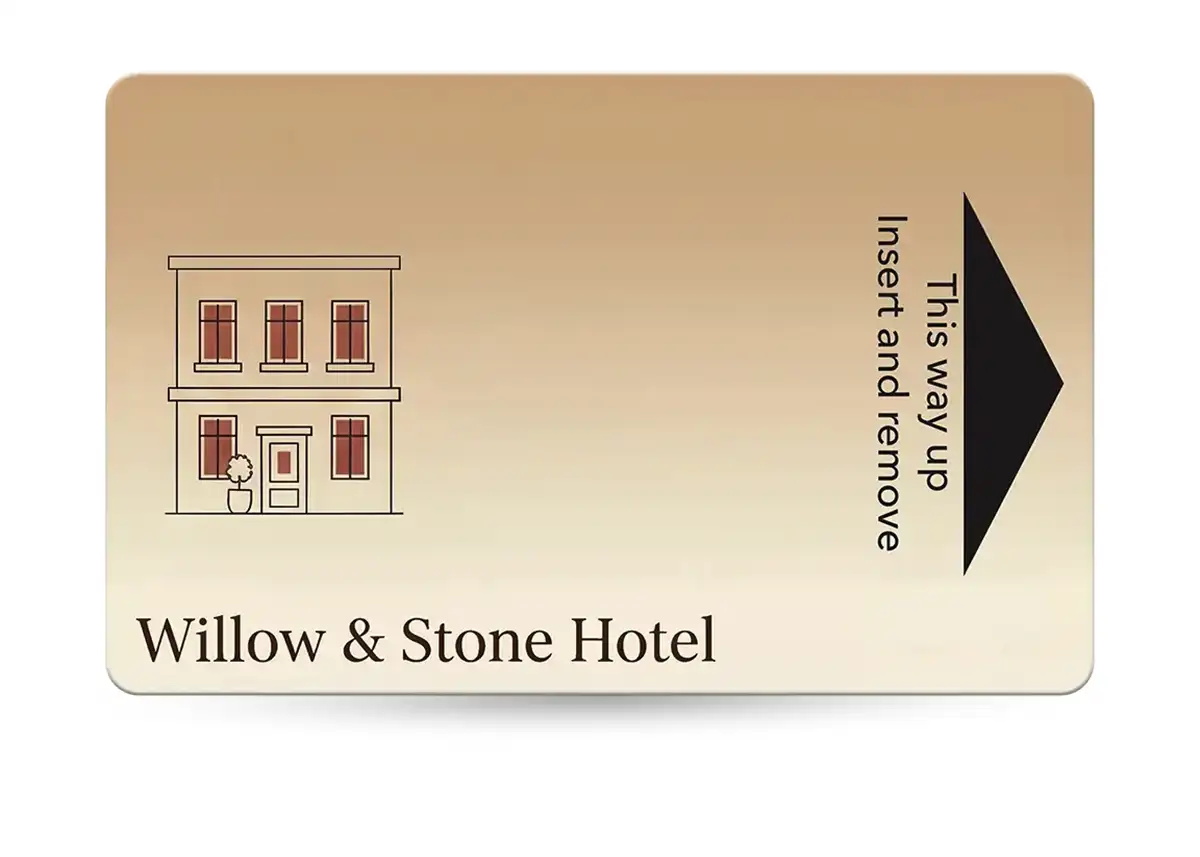
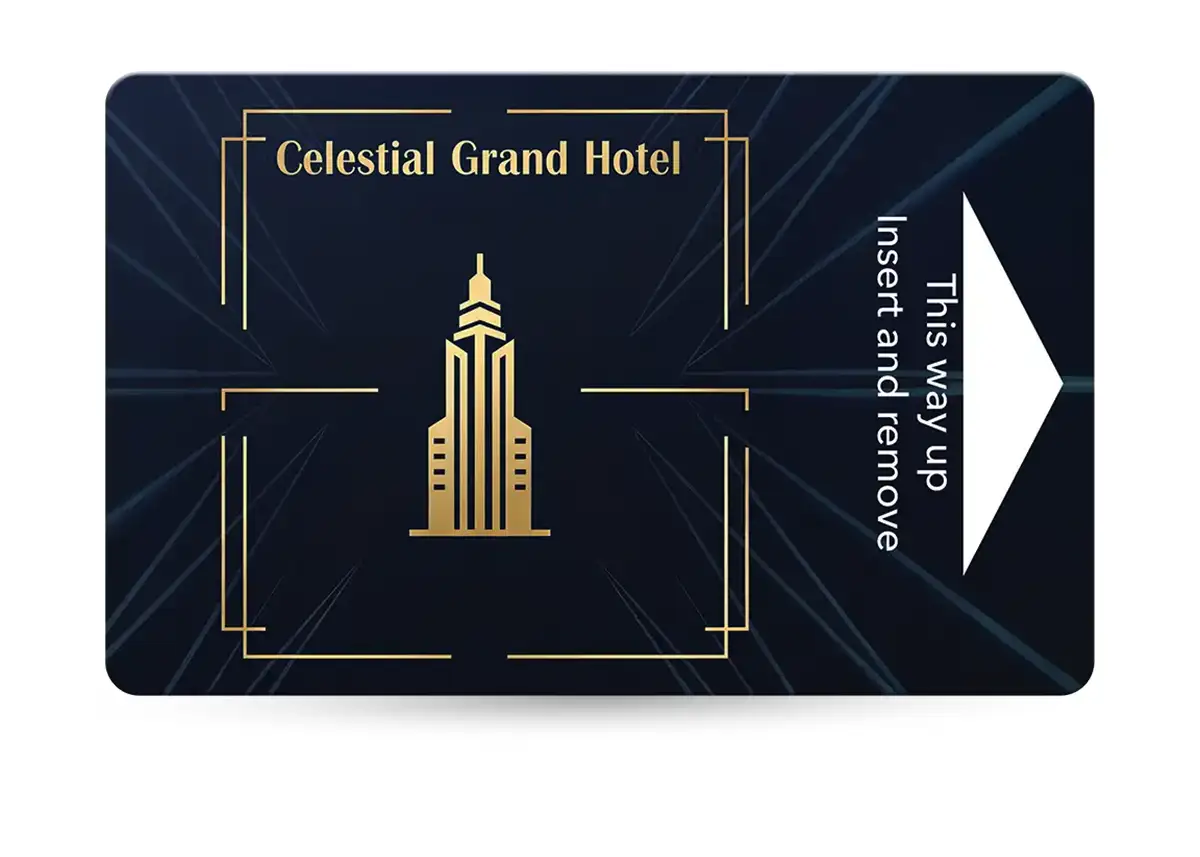
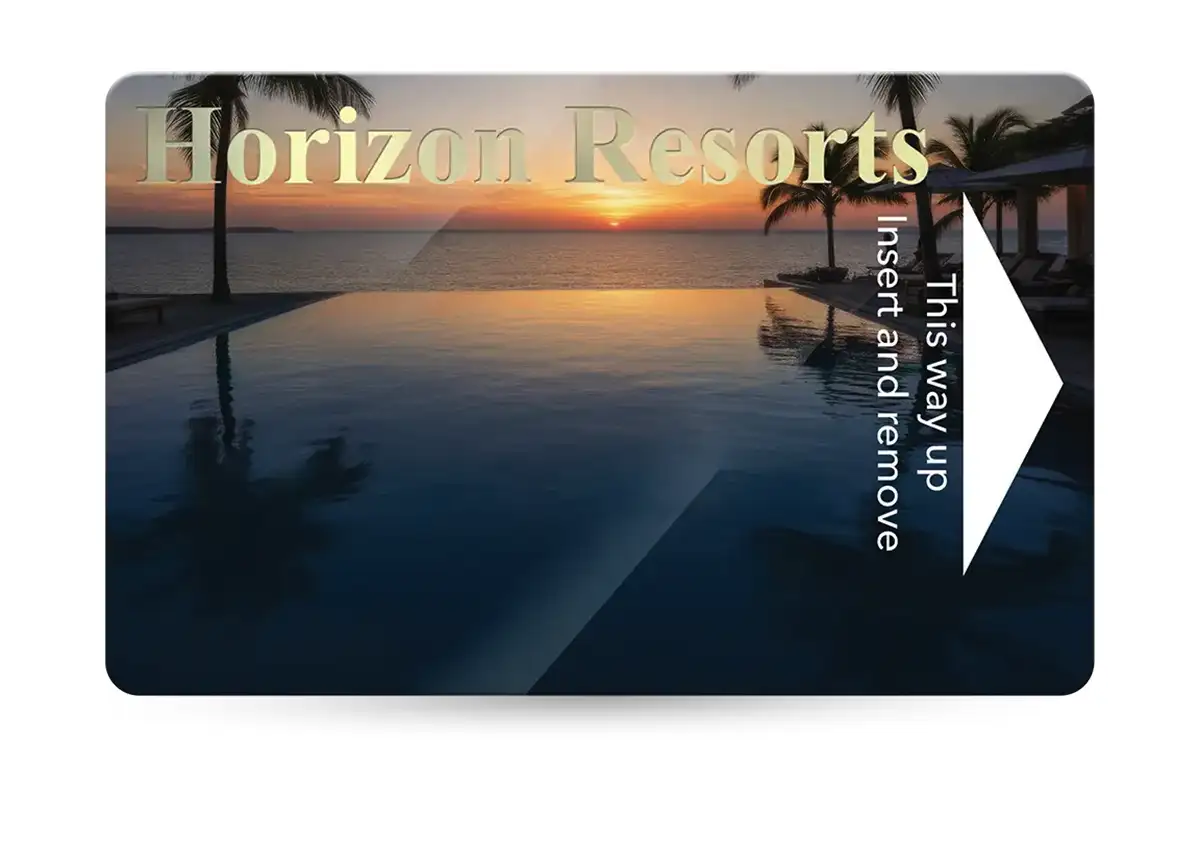
Two designs from our hotel key card examples. Our design service can start from any of them for £29 +vat, and you can add QR codes, barcodes or numbering.
How do you order custom hotel key cards for your locks?
Start with the locks, then the design.
- Tell us what your locks use: the make, a card you use now, or your lock supplier’s name.
- We confirm the specification, the RFID chip or the grade of strip, and email you a quote.
- Send your artwork, or your logo and wording for our £29 +vat design service, and approve a free proof by email.
- We supply the cards printed and unencoded in 7 working days from proof approval and payment, or in 3 to 4 working days express: ask us for cost and availability.
- Your front desk encodes each card at check-in, with your own encoder and lock software. We supply the cards only: the locks, encoder and software come from your lock supplier.
| Specification | Our hotel key cards |
|---|---|
| Size | 86 x 54mm, the size of a bank card |
| Thickness | 760 microns (0.76mm) for magnetic stripe cards. For RFID cards, we confirm the thickness with the chip |
| Full colour on both sides, sealed between clear PVC sheets that are bonded together, so the print can’t scratch or wear off | |
| Finish | High gloss, or Premium Matt for £20 +vat per order |
| Chip or strip | RFID or magnetic stripe, made to your lock system’s specification |
| Encoding | Supplied unencoded, for your front desk to encode |
| Extras | QR codes, barcodes and numbering |
| Minimum order | 25 cards |
| Production | 7 working days from proof approval and payment, or 3 to 4 working days express (ask us for cost and availability) |
| Price | Quoted for your lock system and quantity |
What else to send us
- How many cards. The minimum is 25, and the price per card falls as the quantity goes up, because much of the work in an order is the same whatever the quantity.
- Your artwork, at 86 x 54mm with 3mm bleed all round (92 x 60mm), keeping everything important 3mm inside the edge. Our artwork guide has templates. We check files for technical issues (bleed, resolution, colour mode and file set-up) and can fix them for £10 +vat, and you check the wording on the proof.
- Anything else you’d like: card sleeves, a postal proof, or eco card materials, which are available on request for your volume and specification.
Send it all to sales@cpcards.co.uk or use our hotel key card quote form, and we aim to reply within 10 minutes, 9am to 5pm, Monday to Friday. We’re a UK supplier: your cards are made in England by a printer we’ve worked with for over 20 years. Top-ups are simple, because we have your artwork and card specification on file.
Can you test the cards on your locks before the full order?
Yes: add a postal proof to your order. We post you a few real cards, made to the final specification on the production presses. Encode one at reception, try it on a door and check the print, then approve the full run.
- A postal proof is £65 +vat and takes around 5 working days. A revised one is £35 +vat.
- The full order follows in around 7 working days.
- It’s optional, and most customers don’t have one. It’s worth it when the cards must work first time, or a colour has to be right.
- Postal proofs are for full colour cards, which all our hotel key cards are.
Every order also gets a free photorealistic proof by email, so you can check the layout and wording. The colours on the proof are a guide only, because every screen shows colour differently. If a colour has to be right, add a postal proof. See postal proofs for how they’re made.
Card sleeves for check-in
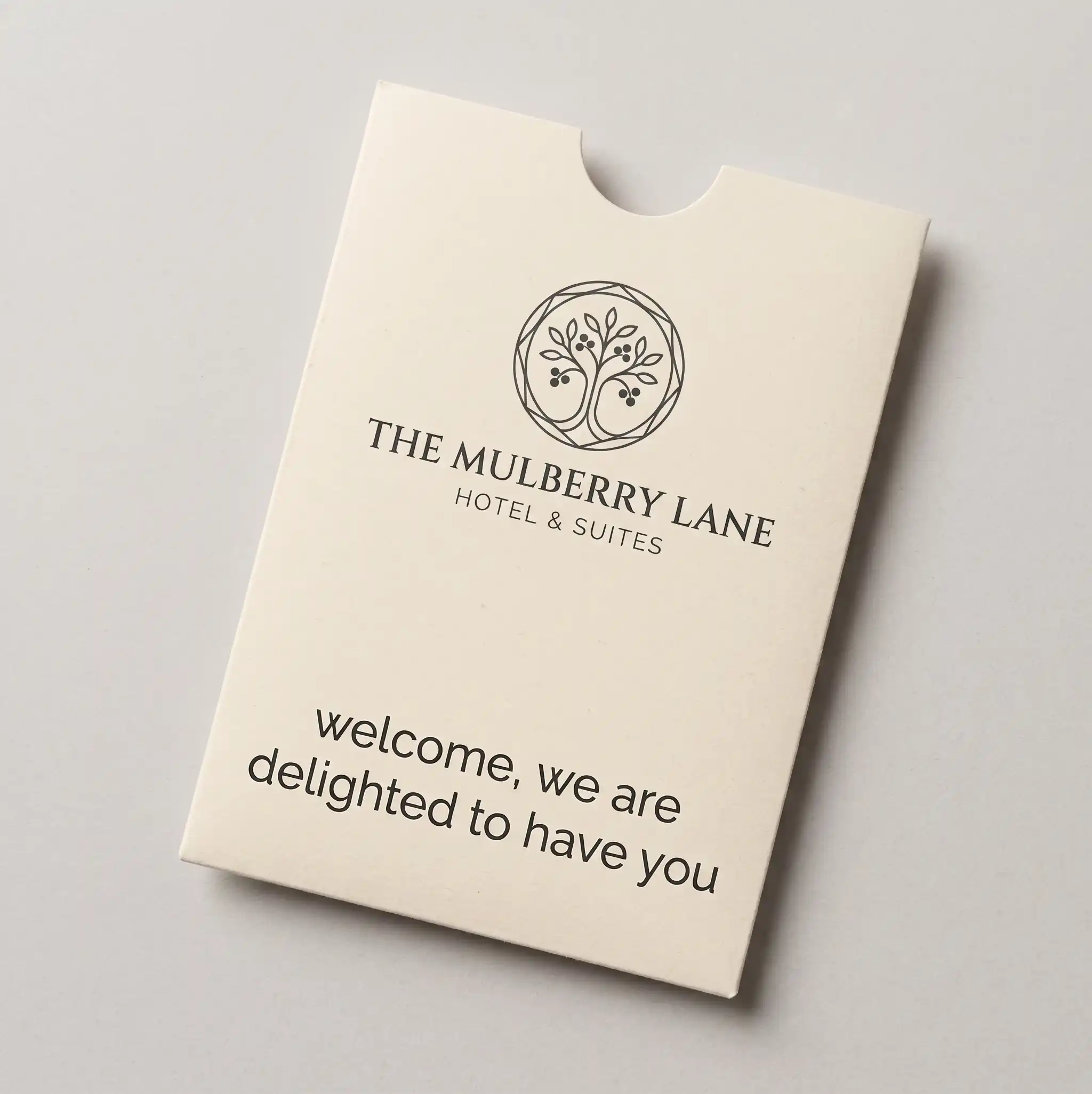
A card sleeve is a small printed pocket that a key card slides into, with a thumb notch so the card comes out easily. Hotels hand key cards over in them at check-in, with the room number written on the sleeve rather than on the card.
- 87 x 60mm, on luxury 350gsm silk board, creased and glued.
- Printed in full colour on the outside, front and back: your branding on the front, and details such as wifi and check-out times on the back.
- Produced in line with your key card order, and supplied separately from the cards.
Prices and the other formats are on our card carriers page. Ask us for the sleeve’s artwork template.
Questions & Answers
-
How do hotel key cards work?
The lock reads information that reception wrote onto the card at check-in, and opens only for the right room until the stay ends. An RFID key card holds that information on a chip inside the card and is tapped on the reader. A magnetic stripe key card holds it on a strip on the back and is inserted in a slot or swiped.
-
Should our key cards be RFID or magnetic stripe?
Whichever your locks read: a key card only works with the kind of reader it was made for. Locks with a reader that guests tap need RFID cards, and locks with a slot need magnetic stripe cards. If you’re not sure, send us a card you use now and we’ll tell you.
-
Will custom printed key cards work with our locks?
Yes, when they’re made to your lock system’s specification, which we confirm before anything is printed. Tell us the make of your locks, or send us a card you use now or your lock supplier’s name. To try real cards on a door before the full run, add a postal proof to your order for £65 +vat.
-
Which lock systems do you supply key cards for?
Lock systems including Assa Abloy VingCard, Dormakaba, Kaba, Saflok, Onity, Salto, TESA, ISEO, Allegion (Schlage) and Mifare-based systems, with RFID or magnetic stripe cards. If yours isn’t listed, ask us: in most cases we can still supply the right card.
-
Do you encode the key cards?
No. We supply them unencoded, made to your lock system’s specification. Your front desk encodes each card for each stay with your own encoder and lock software, as it does now.
-
Should hotel key cards be HiCo or LoCo?
HiCo, if your encoder can write it. A HiCo strip resists everyday magnets far better, which matters on a card carried next to phones and bag clasps. LoCo is cheaper to encode and has long been the usual choice for hotels, but a LoCo encoder can’t reliably encode HiCo cards, so check yours first.
-
Can hotel key cards be reused?
Yes. Encoding a card for the next guest replaces the details of the last stay, so the same card can be used again and again. On our cards the print is sealed between clear PVC sheets, so it can’t scratch or wear off, guest after guest.
-
Why do hotel key cards stop working?
Most often because a magnet, such as a phone case or a bag clasp, has wiped a magnetic strip. A card also stops working when the stay it was encoded for ends, and in many lock systems when a newer card for the room has been used in the door. RFID cards stop working if they’re bent hard or punched through the antenna.
-
How much do custom hotel key cards cost?
We quote each order for your lock system, because the chip or strip, the quantity and any extras all change the price. The minimum order is 25 cards, and the price per card falls as the quantity goes up. Email sales@cpcards.co.uk and we aim to reply within 10 minutes, 9am to 5pm, Monday to Friday.
Ordering key cards for your hotel?

Email sales@cpcards.co.uk with the make of your locks, or a photo of a card you use now, and how many cards you need. We’ll confirm the specification and send you a quote.
We aim to reply within 10 minutes, 9am to 5pm, Monday to Friday.