



Why AI Artwork Needs Converting to CMYK
AI image tools make pictures for screens, so the AI artwork we receive is always in RGB colour. Full colour printing uses CMYK ink. To print your design we have to convert it to CMYK, and the colours change when we do. Most change only slightly, but black turns a muddy brown and bright yellow goes dull.
This guide shows what changes and why, with diagrams. Our designers can convert your AI artwork and enhance its colours for £10 +vat, or £29 +vat if the work is more extensive.
The short versionAI artwork is RGB, so it has to be converted to CMYK before it can be printed. A straight conversion turns black into a muddy brown and makes bright yellow duller. For £10 +vat we convert it, set black to C0 M0 Y0 K100 and bright yellow to C0 M0 Y100 K0, and enhance the other colours. If the work is more extensive, it’s £29 +vat.
Why AI artwork is always RGB
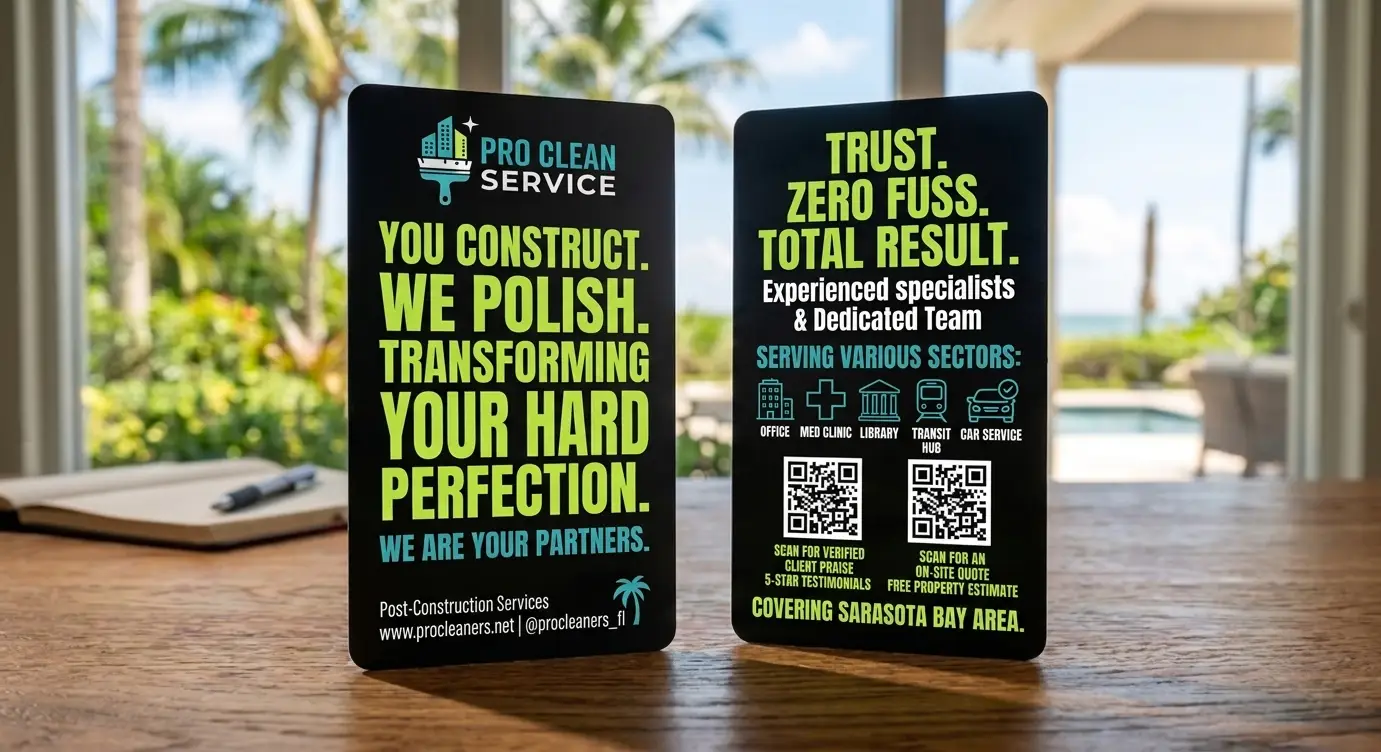
ChatGPT, Gemini, Copilot, Midjourney and the other AI image tools make pictures to be looked at on a screen. What you download is a PNG, JPEG or WebP file, and its colours are RGB.
RGB stands for red, green and blue, the three colours of light a screen mixes. Every colour in the picture is stored as three numbers from 0 to 255, one for each light. R0 G0 B0 means no light at all: the deepest black a screen can show. R255 G255 B0 means full red and full green with no blue, which a screen shows as its brightest yellow.
Printing doesn’t work with light. It works with ink.
Light on a screen, ink on a card
A screen starts dark and adds light. Printing starts with a white card and adds ink, and each ink absorbs some of the light that would otherwise bounce back off the white. Full colour printing uses four inks: cyan, magenta, yellow and black, which is where the name CMYK comes from. The K stands for key, the printer’s name for the black.
The two can’t show all the same colours, so every colour in an RGB file has to be given CMYK numbers before it can be printed. That’s what converting does.
What happens when we convert it
When we open your file in Photoshop to put it into our print template, it has to be converted to CMYK. A general RGB to CMYK colour profile works out the new numbers for every colour in the picture.
- Your AI pictureA PNG, JPEG or WebP file, in RGB colour.
- Our print templateWe put it into our template in Photoshop: 92 x 60mm, the card plus 3mm of bleed all round.
- Converted to CMYKEvery colour in the picture is given new CMYK numbers.
- The colours moveMost change only slightly. Some change a lot, black and bright yellow among them.
The next three sections show what happens to black, to yellow and to the brightest colours, and what we do about each.
All of this is about our full colour cards. Our translucent, white, satin black and metallic cards are printed with hot foil from a fixed range of foil colours, not in CMYK. See the ink and foil range.
1Black turns into a muddy brown
On screen, black is R0 G0 B0. A general RGB to CMYK profile converts it to C76 M71 Y65 K81, a mix of all four inks. Printed, that mix comes out a dark, muddy brown rather than black.
For a deep, solid black, it has to be C0 M0 Y0 K100: black ink and nothing else.
C76 M71 Y65 K81. Some of all four inks.
C0 M0 Y0 K100. Black ink only.
The exact mix depends on the profile: another common one gives C75 M68 Y67 K90. Either way it’s all four inks where one is wanted. The swatches show the idea; they aren’t measured colours.
Small text suffers too. Printed in all four inks, small text can look blurred at the edges. In black ink alone, it stays sharp.
Magnified. The four inks can’t line up perfectly, so coloured edges show and the letters look blurred.
Magnified. One ink, so there’s nothing to line up and the edges stay sharp.
2Bright yellow goes dull
The brightest yellow a screen can show is R255 G255 B0: full red and green light, and no blue. A general RGB to CMYK profile converts it to C5 M1 Y79 K0. That’s only 79% yellow, with a little cyan and magenta in it, so it prints a much duller yellow.
The brightest yellow the inks can print is C0 M0 Y100 K0: full-strength yellow ink and nothing else.
C5 M1 Y79 K0. Less yellow, with a little cyan and magenta.
C0 M0 Y100 K0. Yellow ink only, at full strength.
Even at full strength, yellow ink can’t quite match the yellow light of a screen. C0 M0 Y100 K0 is as bright as yellow ink gets.
3The brightest screen colours
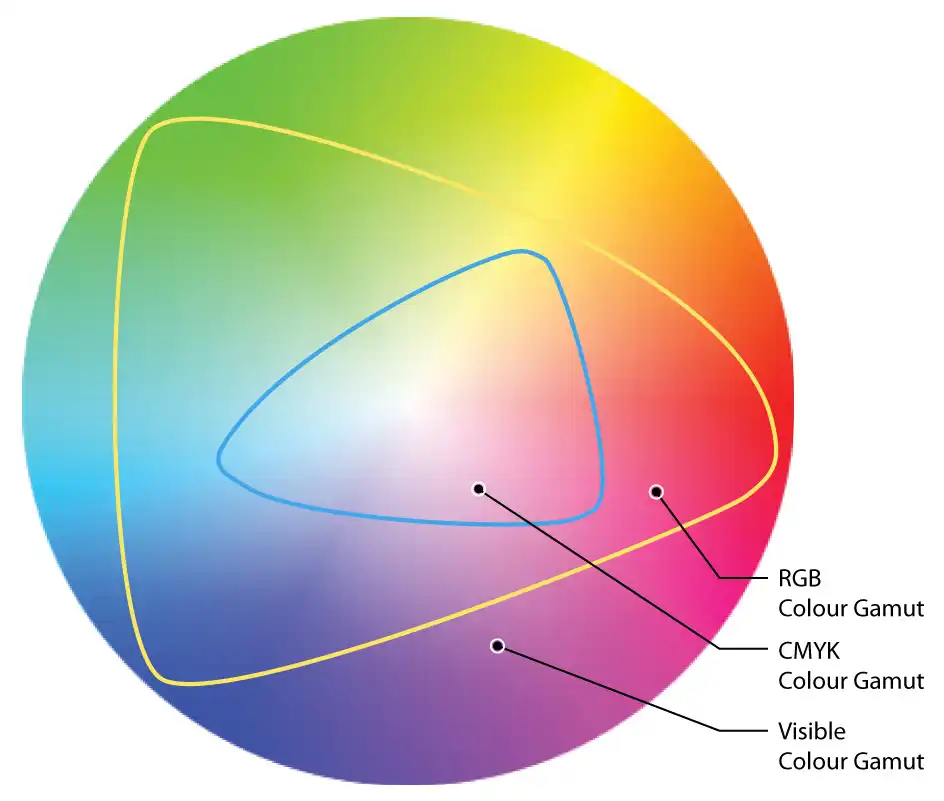
Screens can show some colours that ink can’t print at all, such as the brightest blues, greens, pinks and purples. In the diagram, the blue line is the edge of what CMYK ink can print. Anything outside it has to come inside when the picture is converted.
So each of those colours is moved to the nearest colour the inks can print, and it comes out duller. Nothing can bring back the screen colour. What we can do is adjust colours like these after converting, so they look as bright as CMYK ink allows. That’s the colour enhancement part of our fix.
How a real AI design would print
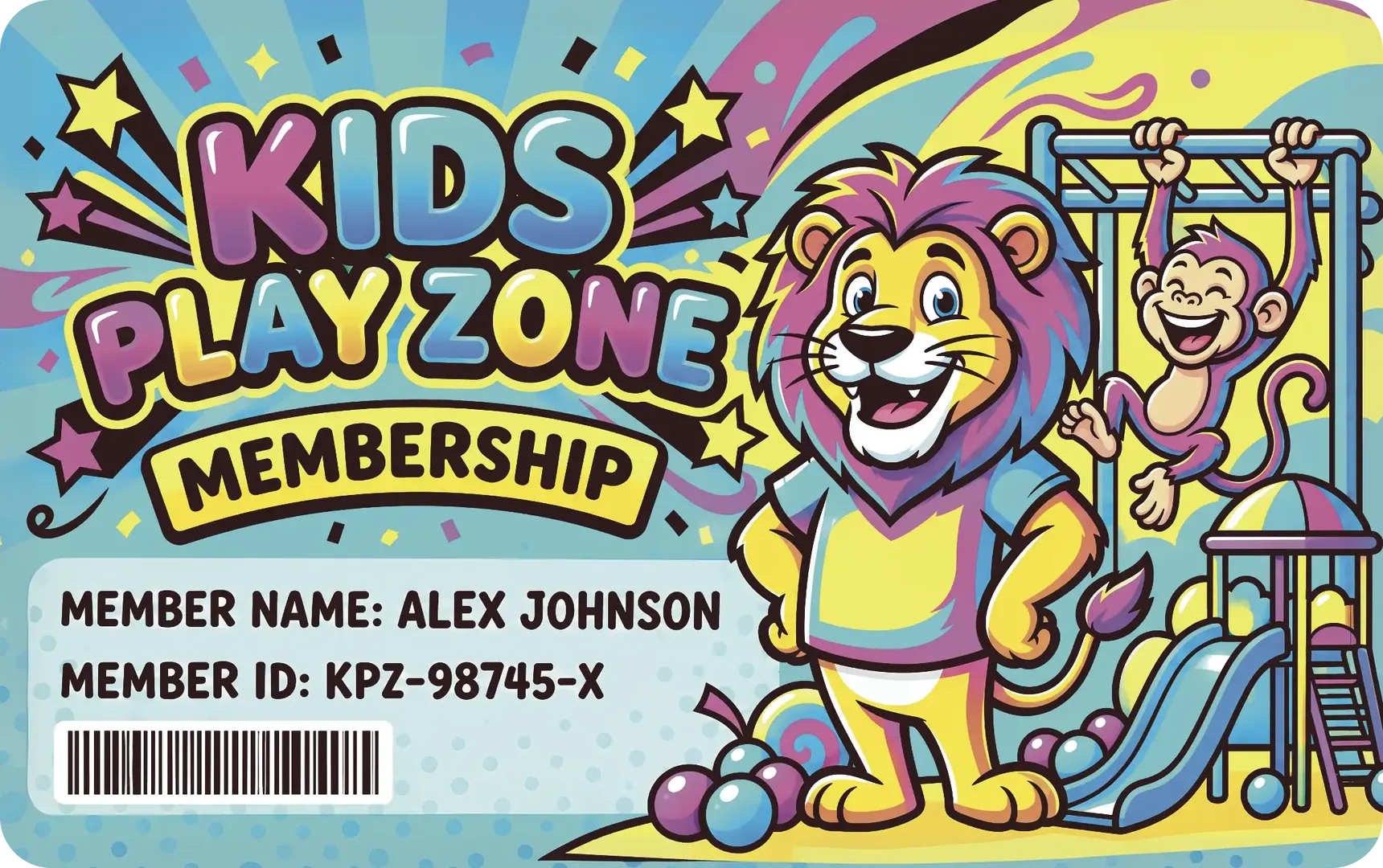
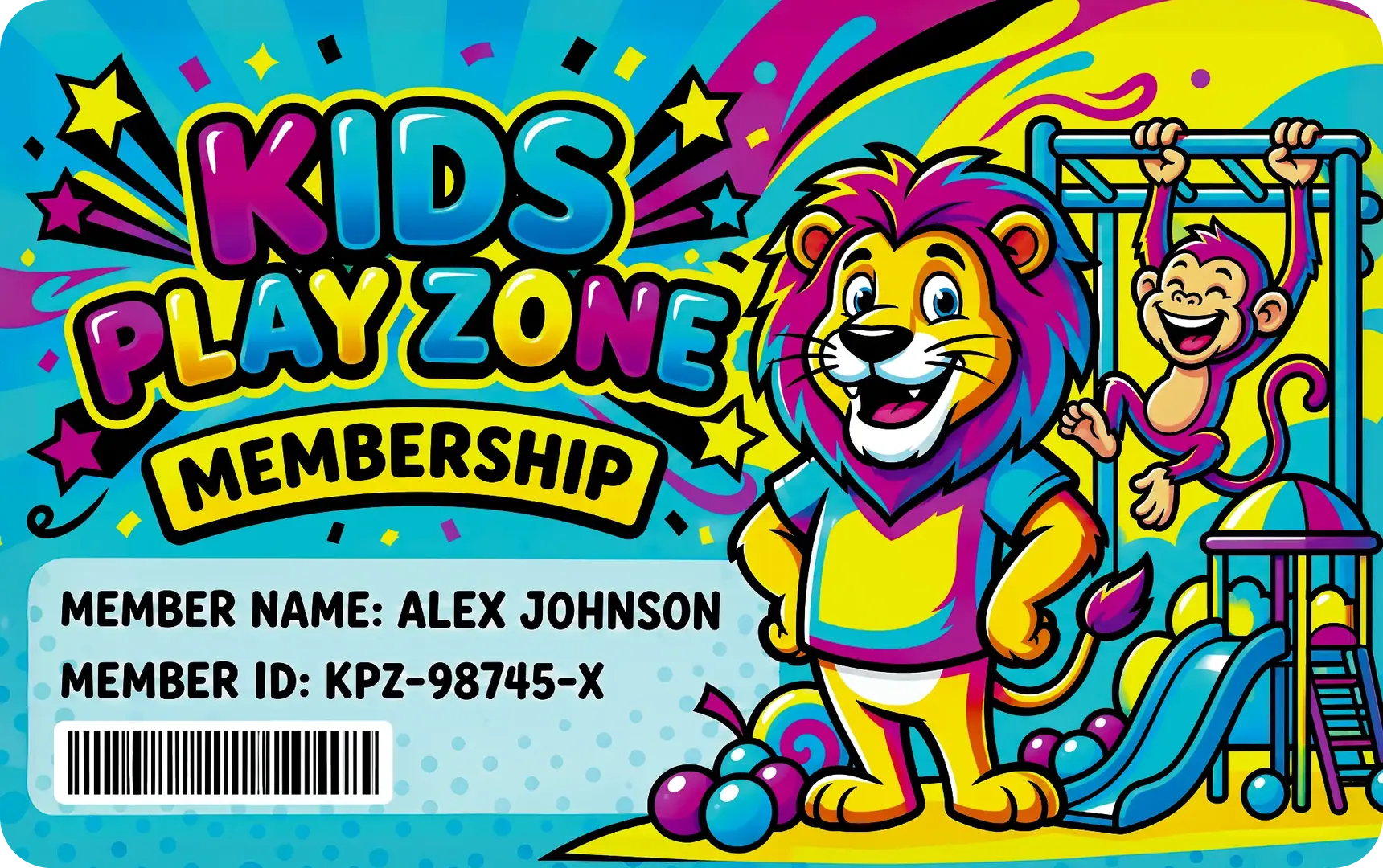
This example membership card was made with an AI image tool, so it came out in RGB, like any AI picture. Here is how it would look printed: on the left converted to CMYK without enhancement, and on the right with the colour enhancements from our colour fix.


Our colour fix for AI artwork
We do these colour conversions, plus other colour enhancements, to AI artwork for just £10 +vat. If the work is more extensive, it’s £29 +vat. We look at your file first and tell you which before we start.
The black prints a muddy brown and the yellow is dull.
A deep black and a bright yellow. Colours drawn to show the idea, not measured.
- Converted to CMYK in our print template, by our designers, not left to the profile alone.
- Black set to C0 M0 Y0 K100, for black backgrounds and black text, so they print a deep, solid black.
- Bright yellow set to C0 M0 Y100 K0, the brightest yellow the inks can print.
- Other colours enhanced where the conversion has dulled them, as far as CMYK ink allows.
As with every full colour order, you then get a free photorealistic proof by email to check the layout and wording before anything is printed. A screen can’t show printed colour exactly, so if the colour has to be right, ask for a postal proof: real cards printed on the production presses and posted to you, for £65 +vat.
An AI picture can need more than its colours fixing before it’s ready to print: the size, the bleed, or text that’s part of the picture. Our guide to print-ready artwork explains the difference.
Converting it yourself
If you’d rather convert the file yourself, use software that works in CMYK, such as Photoshop. We print the CMYK values in your file as they are, so check the numbers before you send it:
- Black. Black backgrounds and black text should read C0 M0 Y0 K100.
- Yellow. A bright yellow should read C0 M0 Y100 K0, with no cyan or magenta in it.
- Bright colours. Compare the converted file with the original, and adjust any colour that has gone flat.
- Everything else. The file still has to be the right size, with bleed, at a high enough resolution. See what print-ready artwork is.
Our guide to CMYK vs RGB shows how to convert, and colour profiles explained covers which profile to use: any standard CMYK profile is fine. We check every file free before printing, and if something technical is wrong, we tell you what and why.
Questions & Answers
-
Why does AI artwork have to be converted to CMYK?
AI image tools make pictures for screens, so they save them in RGB colour.
Full colour printing uses CMYK ink, so an RGB file has to be converted to CMYK before it can be printed.
-
Why does black look brown after converting to CMYK?
A general RGB to CMYK profile turns screen black, R0 G0 B0, into a mix of all four inks: C76 M71 Y65 K81. Printed, that mix comes out a dark, muddy brown.
For a deep, solid black it has to be C0 M0 Y0 K100.
-
What CMYK values should black be?
C0 M0 Y0 K100: black ink and nothing else, for black backgrounds and black text alike.
-
Why does yellow look duller after converting to CMYK?
A general RGB to CMYK profile turns the brightest screen yellow, R255 G255 B0, into C5 M1 Y79 K0: less than full-strength yellow, with a little cyan and magenta in it.
The brightest yellow the inks can print is C0 M0 Y100 K0.
-
Will my cards look exactly like the AI picture on my screen?
No. A screen makes colour from light and a card from ink, and some screen colours can’t be printed at all. We get them as close as CMYK ink allows.
If the colour has to be right, order a postal proof: real cards printed and posted to you to approve, for £65 +vat.
-
How much does it cost to fix the colours in AI artwork?
£10 +vat for the colour conversion and colour enhancements, or £29 +vat if the work is more extensive. We look at your file first and tell you which before we start.
-
Can I convert my AI artwork to CMYK myself?
Yes, in software that works in CMYK, such as Photoshop. Then check the numbers: black should be C0 M0 Y0 K100 and a bright yellow C0 M0 Y100 K0.
We print the CMYK values in your file as they are.
-
What if my artwork is already in CMYK?
We print the CMYK values in your file as they are, whatever colour profile is attached. So check your blacks and yellows before you send it.
Send us your AI artwork

Email your AI artwork to sales@cpcards.co.uk. We’ll look at it and tell you whether the colour fix is £10 or £29 +vat before we start, and you approve a free photorealistic proof before anything is printed.
We aim to reply within 10 minutes, 9am to 5pm, Monday to Friday.