



Colour Profiles: Screens, Print and Plastic Cards
If your artwork is in CMYK, we print the CMYK values in your file exactly as they are. The colour profile attached to the file doesn’t change them, so for a plastic card order the profile isn’t important.
Colour profiles still do a useful job. They are how one monitor is made to show roughly what another shows, and how a screen can preview a print on paper. This guide explains how they work, with diagrams, and why none of them can show you exactly how your plastic cards will look.
The short versionSend your artwork in CMYK. We print the numbers in the file, whatever profile is attached. No screen can show the exact colour of a printed plastic card, so if a colour has to be right, order a postal proof and approve a real card first.
Why the same file looks different on every screen
Your artwork stores every colour as numbers. In an RGB file a bright orange might be R230 G90 B20: how much red, green and blue light to mix. A screen turns those numbers into light, and no two screens do it in quite the same way.
So the colours you see depend on the screen as much as on the file. That’s as true of your screen as it is of ours, and of the phone your customer looks at your website on.
What a colour profile is
A colour profile, also called an ICC profile, is a small file that describes colour. Some describe a device: how one particular screen shows colour, or how one printing press prints it on one kind of paper. Others are attached to an image or a document and say what its numbers mean. sRGB and Adobe RGB are two common ones.
Software that understands profiles, such as Photoshop, Illustrator, InDesign and most web browsers, uses two of them at once to work out what to show you:
- In your fileEvery colour is stored as numbers, such as R230 G90 B20.
- The file’s profileSays which colour those numbers stand for, in terms that don’t depend on any one screen.
- The screen’s profileSays which numbers this particular screen needs to be sent to show that colour.
- On screenThe software sends the screen its own numbers, so it shows the intended colour as closely as it can.
An exampleYour file says R230 G90 B20, an orange. A screen that shows reds too strongly might be sent R218 G94 B26 to show that orange, and one that shows them too weakly R240 G86 B16. Different numbers, the same orange. (The numbers are only an illustration.)
1Matching one screen to another
A screen’s profile is only as good as the measurements behind it. Making one is called calibrating. A small measuring device, a colorimeter, hangs over the screen while software shows a run of colour patches. The device reads what the screen really shows, the software sets its brightness and white, and the result is saved as a profile for that screen.
- Close, not identical. Two calibrated screens show the same file far more alike, which is why designers and photographers calibrate. Each screen can still only show the colours it is able to make.
- The room matters. The same screen looks different in daylight, under office lights and in the dark.
- Most screens are never calibrated, including most phones and laptops. The screen you look at a proof on is probably one of them.
2Previewing print on paper
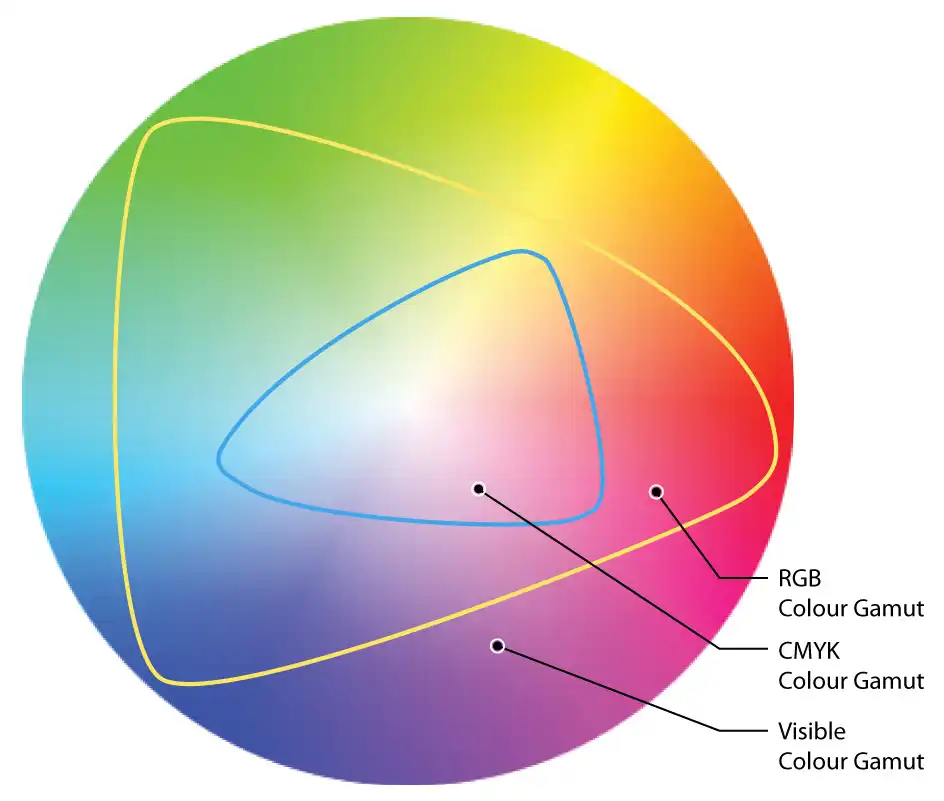
Printing has profiles too. To make one, a chart of colour patches is printed on a particular press and paper, and every patch is measured. ISO Coated v2 (FOGRA39), a common choice in Europe, describes CMYK printed on coated paper. There are others for uncoated paper, newspapers and so on.
Design software uses a print profile in two ways. It converts RGB colours into the CMYK numbers for that paper. And it can show you a preview of the print on screen, which is called soft proofing: Photoshop and Illustrator call it Proof Colors, under the View menu.
Screens can show colours that ink can’t print. In the diagram, the blue line is the edge of what CMYK ink can print, and anything outside it comes out duller in the preview and on paper.
With a calibrated screen and the right profile, a soft proof is a good guide to how a design will print on paper. The important words there are “on paper”.
3Plastic isn’t paper
Every print profile in your design software was made by printing on paper and measuring the result. None of them was measured on a plastic card.
Paper absorbs ink. White PVC doesn’t, so the ink sits on the surface of the plastic. The white underneath is a different white as well, and every colour printed on top of it changes with it. Print the same CMYK file on paper and on plastic and the two won’t match.
So a soft proof made with a paper profile shows you paper. So does a print from your office printer, a Pantone swatch book, or your leaflets from another printer. None of them is a reliable guide to the colour of a plastic card.
4The clear PVC changes it again
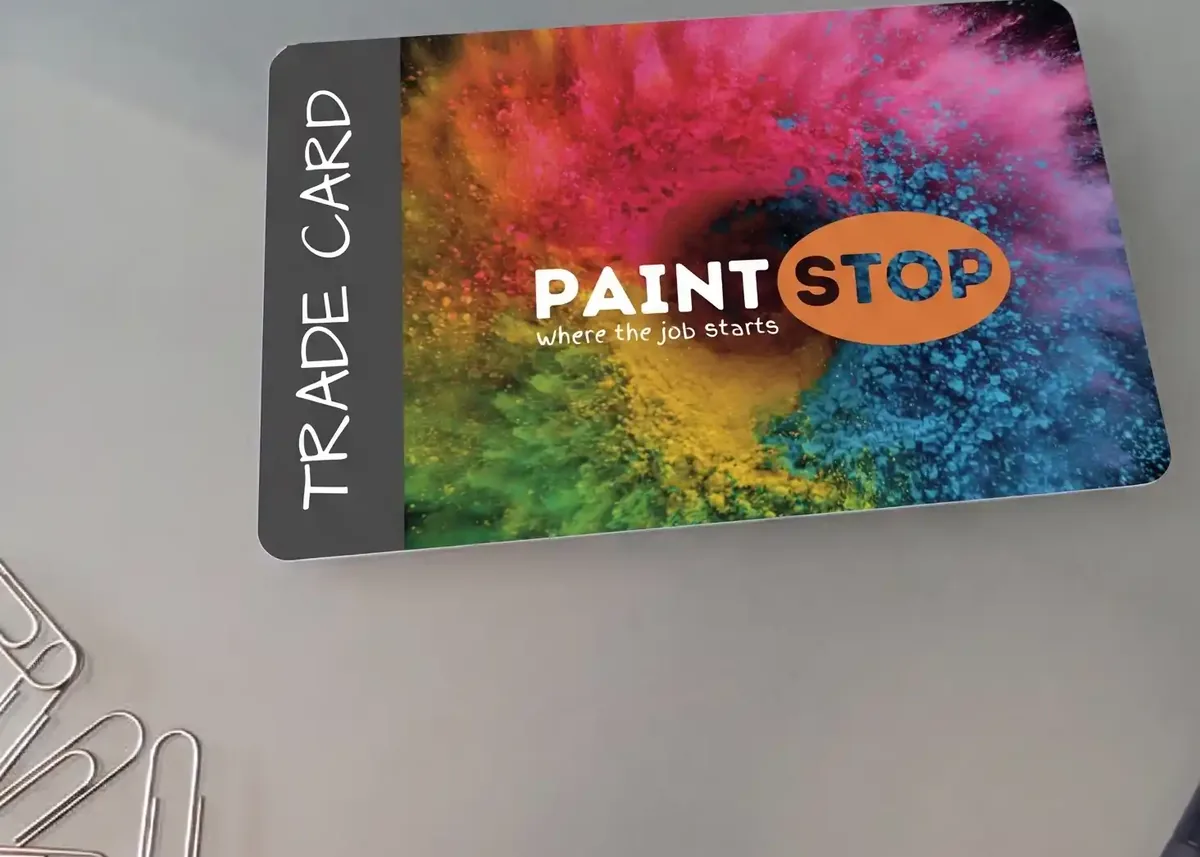
Our full colour PVC cards are printed 21 to a sheet. Each printed sheet is then bonded between two clear PVC sheets with heat and pressure, which takes the cards to 760 microns thick and gives them their finish. Only then are they cut out. (EcoTough and Plastic-Free Board cards aren’t sealed under clear PVC, so this step doesn’t apply to them.)
Everything you see on a finished card is seen through that clear PVC, and it changes the colour again. The finish decides how.
- Clear PVC. Bonded over the print on both sides. It’s the surface you touch, and its finish is High Gloss or Premium Matt.
- The print. Your CMYK artwork, sealed under the clear PVC.
- White PVC core. The white the colours are printed on.
The layers aren’t drawn to scale, and the swatches under each card show the idea rather than a measured result. The same artwork, printed on the same day, looks different in the two finishes, and no profile on your computer allows for either of them.
Choose the finish firstPick your finish before you approve the artwork, so the colour is judged on the surface it will be printed on. High Gloss is included in the price; Premium Matt is £20 +vat per order. See High Gloss v Premium Matt.
What we do with your file
What happens depends on the colours in your file.
We print the CMYK values in your file. Whatever colour profile is attached to it, the numbers aren’t changed.
We convert it to CMYK before printing, so the colours will change from how they look on your screen. To choose the CMYK values yourself, convert the file before you send it.
Converted to CMYK too. We don’t print Pantone inks or match to Pantone colours. See Pantone colours explained.
That’s why the colour profile isn’t important for a plastic card order: it doesn’t change what’s printed. The CMYK numbers do. Embedding a profile does no harm, and leaving one out does no harm either.
If you convert from RGB yourself, the profile you convert with decides which CMYK numbers you end up with. Any standard CMYK profile is fine, and our guide to CMYK vs RGB shows how to convert. Then look at the numbers, especially for your brand colours, because those numbers are what we print.
Our translucent, white, satin black and metallic cards are printed with hot foil from a fixed range of foil colours, not in CMYK, so colour profiles don’t come into it. See the ink and foil range.
Getting the colour you want

- Give your colours as CMYK values. Put your brand colours in the artwork as CMYK numbers, so you choose what’s printed rather than leaving it to a conversion.
- Don’t judge the colour on a screen. The free photorealistic proof we email is for you to check the layout and wording. Every screen shows colour differently, so it can’t show you the printed colour.
- Order a postal proof if the colour has to be right. We print a few real cards on the production presses, bonded and cut to size, and post them to you. The first postal proof is £65 +vat, a revised one is £35 +vat, and it adds around 5 working days.
- Hold a real card. A sample pack has real full colour cards in it, so you can see how CMYK printing looks on plastic under your own lighting.
Worth knowingA postal proof shows you the colour your cards will print in. If it isn’t what you want, change the CMYK values in the artwork and order a revised proof. Changing the colour profile won’t help, because it doesn’t change what’s printed.
Questions & Answers
-
Which colour profile should I use for my artwork?
For printing with us it doesn’t matter. If your artwork is in CMYK, we print the CMYK values in it as they are, whatever profile is attached.
If you’re converting from RGB yourself, a standard CMYK profile such as ISO Coated v2 (FOGRA39) is fine.
-
Do you use the colour profile embedded in my file?
No. We print the CMYK numbers in the file, and the profile doesn’t change them. Embedding one does no harm, and leaving it out does no harm either.
-
Why does my design look different on my phone and my computer?
Because every screen shows colour differently. Brightness, the colour of its white, the range of colours it can show and settings like night mode all change it.
Colour profiles narrow the gap on calibrated screens, but most phones and laptops are never calibrated.
-
If I calibrate my monitor, will it show me how my cards will look?
It will show your file more accurately, and it’s worth doing if you design a lot.
It still can’t show you a plastic card: print previews use profiles measured on paper, and the clear PVC over the print changes the colour again.
-
Is there a colour profile for plastic cards?
We don’t supply one, and the print profiles in design software were all measured on paper. A plastic card profile would also have to allow for the clear PVC and the finish.
So we print your CMYK values as they are, and recommend a postal proof when the colour matters.
-
What happens if I send RGB artwork?
We convert it to CMYK before printing, so the colours will change from how they look on your screen. Bright blues, greens and oranges change the most.
To choose the CMYK values yourself, convert the file before you send it. Our page on CMYK vs RGB explains how.
-
How can I see the real colour before my order is printed?
Order a postal proof. We print a few real cards on the production presses, bonded and cut to size, and post them to you to approve. The first postal proof is £65 +vat and a revised one is £35 +vat.
Ready to order?

Send your artwork in CMYK and we’ll print the colours in your file. Every full colour order comes with a free photorealistic proof, so you can check the layout and wording before anything goes on press.
If a colour has to be right, ask for a postal proof when you request your quote, and you’ll approve a real printed card first.