



Numbered Plastic Cards: How Sequential Numbering Works
Numbering gives every card its own identity. Give us a start number and the cards run on from it, 0001, 0002, 0003 and so on, or send us the exact numbers in an Excel file and each card is printed with its own.
This guide covers why to number your cards, the five ways a card can carry its number, how to choose a format, how to keep a printed number and a barcode in step, and how to supply your own list.
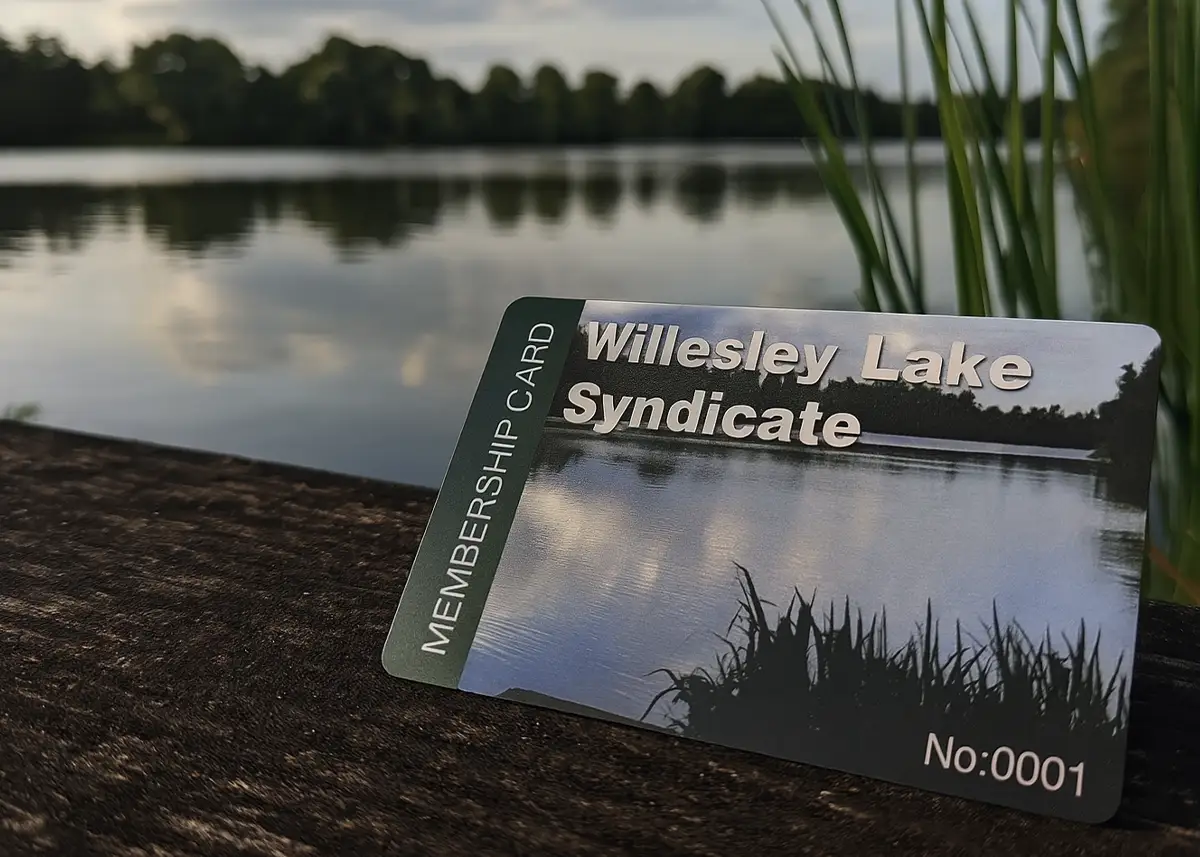
The short versionGive us a start number, or send exact numbers in an Excel file formatted as Text. The number can be printed, embossed, or carried in a barcode, QR code or magnetic strip, and the same number can go in more than one. Re-orders carry on from the last number issued.
Why number your cards?
Five ways a card can carry its number
A number can be printed for people to read, or carried in a form a machine reads, or both. Most numbered cards use two: a printed number, plus whatever your till or door reader needs.
- Printed number. Read by people. Printed with the design and sealed under the clear PVC, so it can’t wear off.
- Embossed number. Raised characters, like a bank card: 5mm or 3mm tall, in black, metallic silver or metallic gold.
- Magnetic strip. Read by a swipe reader. We encode it for you, or leave it blank for you to encode.
- Barcode. Read by a scanner at a till or door. Code39 is the most popular; Code128 and EAN5 are also available.
- QR code. Read by a phone or a scanner. It can carry the number, or a different web address on every card.
| Read by | Worth knowing | |
|---|---|---|
| Printed number | Eye | Any size, any CMYK colour, normally in Arial or Times New Roman. |
| Embossed number | Eye and touch | Up to 22 characters on a line at 5mm, 27 at 3mm. In the bottom half of one side, and it shows through on the other. Not on 420 micron cards. |
| Magnetic strip | Swipe reader | Track 2 holds numbers up to 37 characters. HiCo strips are the more durable. Cards must be 760 microns. HiCo v LoCo |
| Barcode | Barcode scanner | Printed under the surface, so it can’t rub away. Put it on a white box with the number printed underneath. Barcodes |
| QR code | Phone or scanner | At least 15mm square. A different code on every card is supplied in an Excel file. QR codes |
RFID cards carry data in a chip inside the card. We supply them unencoded, so if your system needs a number written to the chip, you write it yourself; a printed or barcoded number on the outside of the card can still match it.
Choosing a number format
| Format | Example | When to use it |
|---|---|---|
| Plain sequence | 1, 2, 3 … | Small schemes where the number is only for your records. |
| Fixed length | 0001, 0002, 0003 … | Numbers all the same width look tidier and sort in order. Choose enough digits for every card you’ll ever issue. |
| A high start | 10001, 10002 … | Looks established, and there are no leading zeros to lose in a spreadsheet. |
| A prefix | M-0001, GOLD-001, 26-0001 | Several kinds of card, levels or years in one system. |
| Your own list | Any numbers you choose | Numbers from an existing database, or with a check digit your system needs. Send them in an Excel file. |
Two small tipsA small organisation wanting to look larger can start at 10001. And it’s worth holding card number 1 back for someone who will appreciate it.
Code39 and Code128 barcodes can carry letters as well as numbers, so a prefix like M-0427 can go in the barcode too. Check with your till or software provider which barcode type and format it expects before you choose.
One number, several places
When the same number appears more than once on a card, printed and in a barcode, say, the two have to match on every card. Give each one its own column in your file, one row per card, and we print each card from its row.
| Card number | Barcode value | QR code link |
|---|---|---|
| M-0427 | M0427 | riversidegolf.co.uk/m/0427 |
| M-0428 | M0428 | riversidegolf.co.uk/m/0428 |
| M-0429 | M0429 | riversidegolf.co.uk/m/0429 |
The printed number and the barcode value don’t have to be identical, as above, where the barcode drops the hyphen. What matters is that each row is complete and the columns stay in the same order on every file you send.
Supplying your own numbers
If the numbers aren’t a simple run from a start number, send them in an Excel file. Everything in the file is printed, so it must hold only what goes on the cards.
- One file, one worksheet, with every card in it.
- No hidden or blank rows or columns.
- Nothing that shouldn’t be printed. No notes, no totals, no “not sure”.
- Format number columns as Text before you type or paste. Otherwise Excel removes leading zeros, so 0427 becomes 427, and turns long numbers into scientific notation.
- The same layout every time. A re-order file laid out differently can waste a whole order of cards.
- Attach the file to an email, even for one card. Never type the details into the body of the email.
Our Excel file guidelines include an example file to download, and our guide to gift card codes in Excel or CSV shows how to stop Excel changing your numbers, step by step.
Where the number goes
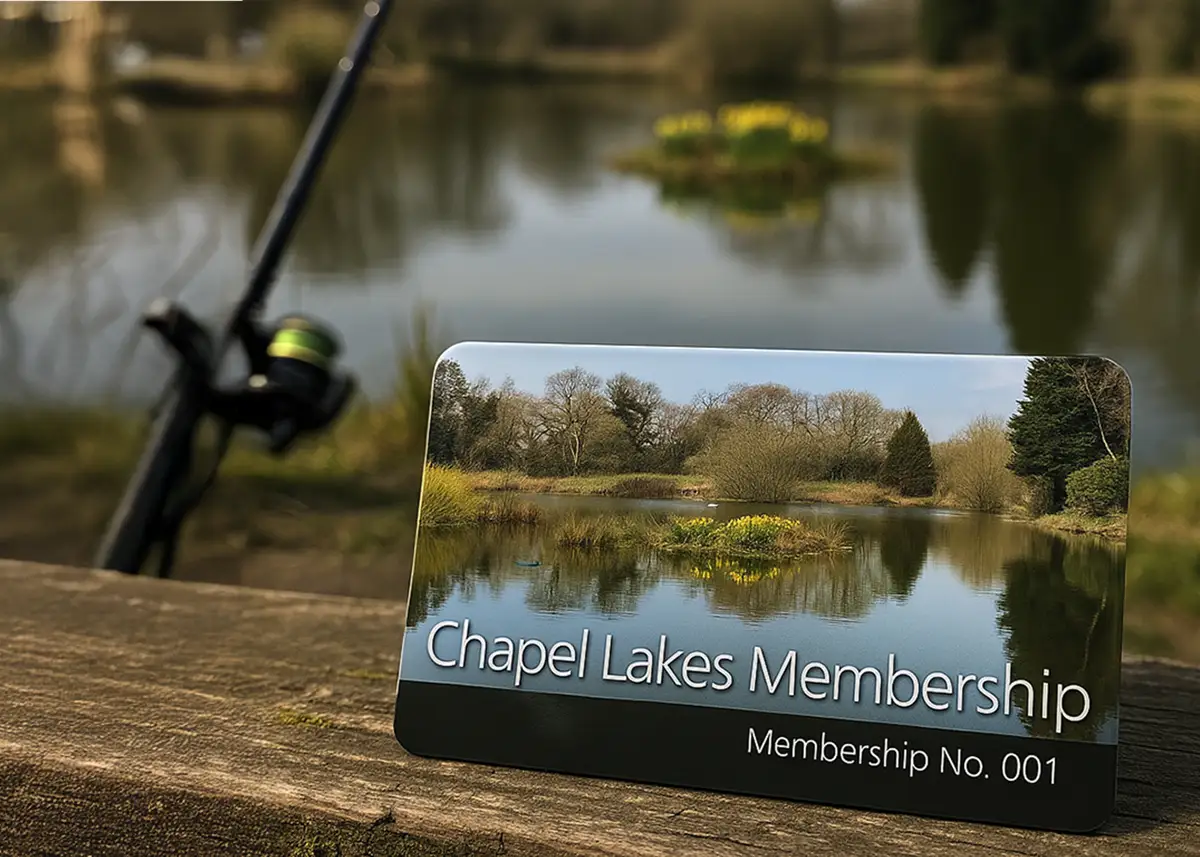
A printed number can go anywhere on the card, front or back, at any size and in any CMYK colour. Matching it to a colour in your logo makes it look designed in rather than stamped on.
- On the front if someone checks it at a door: membership cards, passes and permits.
- On the back, small if it’s for your records: gift card serial numbers and stock numbers.
- Under a barcode as well as in it, so it can be typed in if the scanner fails.
- Clear of everything else, with room for the longest number, and 3mm inside the edge of the card.
Re-orders, and numbering cards as you go
When you re-order, carry the numbers on from where the last order finished, so no two cards share a number. Tell us the last number you issued, or send a file laid out exactly like the first one.
If you don’t know all the details when you order, members who haven’t joined yet, for instance, our bureau personalisation service holds your printed cards and adds each member’s name and number as they join. Email us an Excel file with the new details: if it arrives before 1pm we strive to send the cards the same day, but please allow 3 working days. For ordering the right quantity in the first place, see how many cards to order.
Questions & Answers
-
Can you print a different number on every card?
Yes. Give us a start number and the cards run on from it, or send us the exact numbers in an Excel file and each card is printed with its own.
-
What font are the numbers printed in?
Normally Arial or Times New Roman. The numbers can be any size and any CMYK colour, including one matched to a colour in your logo.
-
Can the numbers start with zeros, like 0001?
Yes. If you send the numbers in an Excel file, format the column as Text before you type or paste them, or Excel will remove the zeros. Starting at 10001 avoids the problem altogether.
-
Can the barcode carry the same number as the card?
Yes. Send the printed number and the barcode value as columns in the same row of your file. Code39 and Code128 barcodes can carry letters as well as numbers.
-
Can numbers be encoded on a magnetic strip?
Yes. We can encode the strip for you, from a start number or an Excel file, or leave it blank for you to encode with your own equipment.
-
Will the numbers wear off?
Not on our full colour cards. Printed numbers and barcodes are printed with the design and sealed under the clear PVC, so they can’t rub away.
-
Can I add numbers to cards later, as members join?
Yes, with our bureau personalisation service. We hold your printed cards, and when you email an Excel file with new members’ details we personalise and post them. Please allow 3 working days.
-
Does numbering cost extra?
Numbering is an optional extra, priced on your quote. Tell us the quantity and how you want the cards numbered, and we’ll include it.
Ready to order numbered cards?

Tell us how many cards you need and how they should be numbered, or attach your Excel file, and we’ll email a quote within about 10 minutes, 9am to 5pm, Monday to Friday.
Your free photorealistic proof shows the numbering in place before anything is printed.