



Membership Cards With Barcodes
A barcode on a membership card holds only a number. The scanner at your front desk reads it and passes it to your membership software, which finds the member and shows their record. So the card stays simple, and your software decides which barcode type and number format the card has to carry.
We supply full colour plastic membership cards with barcodes from 25 cards, and every card can have its own barcode. This guide is for gyms, clubs, leisure centres and associations. Club cards, ID cards with barcodes and library cards work in the same way.

The short versionAsk your software supplier which barcode type it reads and what format the number takes. Give us a start number, or a spreadsheet with one row per card. Put the barcode on a white box, with clear space either side and the number printed underneath. To test it first, add a postal proof and scan it on your own system.
How does a barcode membership card work at the front desk?
The member shows the card, staff scan it, and the member’s record appears on your screen.
- The card carries the number twice: in the bars for the scanner, and printed underneath for people.
- The scanner reads the bars and passes the number on, just as if someone had typed it in.
- The software looks the number up and shows the member’s record. What it shows and logs depends on your system.
Your membership software supplier can tell you which scanner works with its system. Our guide to membership card systems covers the reader and software side.
Before the first scan
The number has to be in your software, or the scan finds nobody. Either scan each numbered card into the member’s profile as you hand it over, or import a list of numbers, if your system can. Your supplier can tell you which it uses.
What does a barcode on a membership card store?
Only a number, sometimes with letters. The member’s name, level and renewal date stay in your software, matched to that number. Other barcode cards, such as store and loyalty cards, work the same way: the till holds the points, not the card. Gift cards with barcodes work this way too, with the balance on the till.
- A renewal doesn’t change the barcode. If only your software holds the date, the same card carries on. If you print the year on the card, you’ll need new cards each year.
- A lost card is cancelled by its number. Take the number off your system and issue a new one. The 25 minimum still applies to a reprint, so order spares with the first run.
Which barcode type do I need?
The one your software reads, so ask your software supplier before you design anything. If it reads any type, use Code 39: it’s the most widely supported, and the default on most of the cards we supply. Code 128 is the most compact.
| Type | Holds | Worth knowing |
|---|---|---|
| Code 39 | Capitals, numbers, space and - . $ / + % | Wider than Code 128, so it suits a shorter number. |
| Code 128 | Letters, numbers and symbols | Packs digits in pairs, so a number-only code is about half the width. |
| EAN-13 | 13 digits, including a check digit | The retail format. Only if your system expects it. |
| QR code | Far more, including a web address | A 1D scanner can’t read one. See QR code or barcode. |
Four questions for your software supplier
- Which barcode type does it read?
- Does the number need a set length, or any start or end characters?
- Does the system issue the numbers, or can it use ones we choose?
- Is the scanner 1D or 2D, and is it switched on for this type?
Our barcodes page compares Code 39 and Code 128 in detail, and if you need another type, such as UPC, ask us.
Where do the numbers come from, and can each card have its own barcode?
Every card can have its own barcode, and the numbers come from one of two places. Give us a start number and the cards run on from it, which suits a new scheme. Or send your own list in an Excel file, which suits existing members or numbers your software issues.
- Format every column as Text before you type or paste, or Excel turns 0427 into 427. A high start such as 10001 has no zeros to lose. Our Excel and CSV guide shows how, step by step.
- Put only what’s printed in the file: one worksheet, with no notes and no hidden or blank rows. See our Excel file guidelines.
- Check your spreadsheet before you send it, because our artwork check is technical and doesn’t cover names or spelling. Your proof shows where the names and numbers sit.
- Re-orders carry on from the last number you issued, in a file with the same layout.
Numbering is priced on your quote. Our personalised cards guide goes further. For one barcode that’s the same on every card, use our free barcode generator and put it in your artwork.
What size should a barcode be, and where does it go?
A barcode can be any size and go anywhere on either side, but your scanner has limits. As a rule of thumb, keep the narrowest bar at 0.25mm or more, the bars at least 10mm tall, and clear space of 10 times the narrowest bar either side. A narrowest bar of 0.33mm is a common size.
- A white box, which gives the bars their contrast. A dark design needs one most.
- Clear space (the quiet zone), so the scanner can find where the barcode starts and stops.
- Bar height. Taller bars are easier to scan with a handheld scanner.
- The number underneath, so it can be typed in. Asterisks round a number mark the start and stop of a Code 39 barcode and aren’t part of the number.
- The safe area. Keep the barcode and its clear space 3mm inside the edge.
| Barcode | At 0.33mm bars | At 0.25mm bars |
|---|---|---|
| Code 39, 6 characters | 49mm | 37mm |
| Code 39, 10 characters | 70mm | 53mm |
| Code 39, 14 characters | 91mm: too long | 69mm |
| Code 128, 10 digits | 36mm | 28mm |
| Code 128, 18 digits | 51mm | 39mm |
- Which side? Usually the back, though a magnetic strip and signature panel want that space too. Put the barcode towards an edge, rather than in the centre where a thumb lands.
- Which colour? Black bars. Most scanners use red light, so red, orange and yellow bars disappear.
- Which finish? Premium Matt has no glare, so barcodes scan more easily. It’s £20 +vat per order, and High Gloss is included.
Can a card and a key tag have the same number?
Yes, so either one scans to the same member. A combo card does this in one piece: an 86 x 54mm card and a 54 x 29mm key tag, 680 microns thick, which the member snaps apart. Or order full-size cards and key tags separately, from the same list.

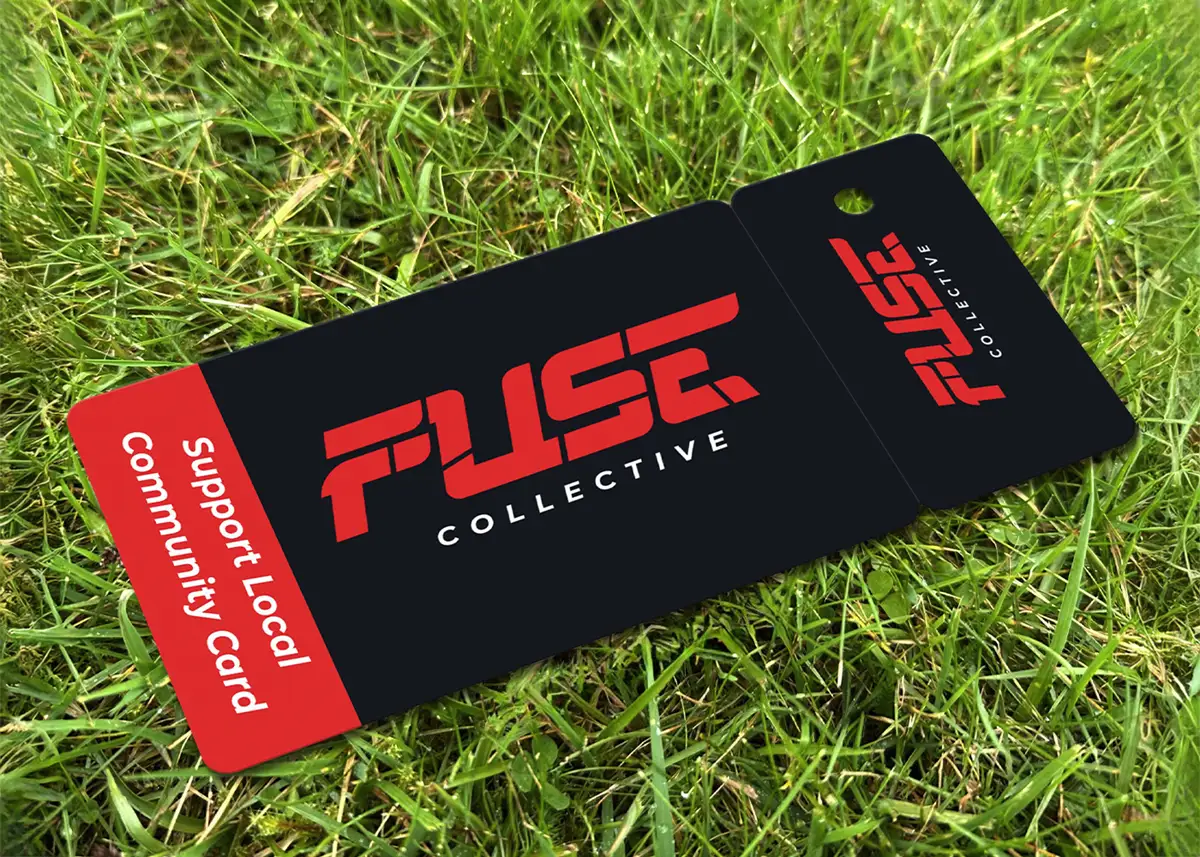
Choose the number with the tag in mind. At 0.25mm bars, about 6 characters of Code 39 or 18 digits of Code 128 fit along it, as our guide to designing a key tag explains. For 25, key tags start at £98.00 +vat and combo cards at £224.00 +vat, before the barcode, which is priced on your quote.
Which plastic cards can have a barcode?
We supply plastic cards with barcodes across most of our range. Standard full colour cards can have a different barcode on each card, and on hot foil cards it depends on the range. A metallic base card can’t print a white box, so ask us about a barcode on one.
| Card | Barcode? | Worth knowing |
|---|---|---|
| Full colour PVC, key tags and combo cards | Yes | The print is sealed between clear PVC sheets that are bonded, so it can’t scratch or wear off. |
| RFID cards | Yes | On the outside of the card, with the chip inside. |
| EcoTough and Plastic-Free Board | Yes | These aren’t sealed print. |
| White hot foil cards | Same on every card | A different barcode on each card means full colour. |
| Frosted, satin black and metallic hot foil cards | Ask us | Email sales@cpcards.co.uk. |
Will my scanner read the barcode?
It should, if the type, size and contrast suit it, but the only sure test is your own scanner, because we can’t test a barcode on your system.
- A free first check. Make the same type and number with our barcode generator, print it at actual size on paper, and scan it. That shows whether your scanner is set for that type, though paper isn’t the finished card.
- A test on real cards. Add a postal proof to your order: a few identical cards posted to you, to test the barcode’s type, size and contrast on your scanner. It doesn’t test every number in your list. It’s £65 +vat and takes around 5 working days, and the rest are printed in around 7 working days after you approve it. Postal proofs are for full colour cards. For hot foil cards, email sales@cpcards.co.uk to ask about a sample colour being posted to you for approval.
Why won’t a barcode scan?
The usual causes are bars too narrow or too short, no clear space, low contrast, the wrong colour, or a scanner not set to read that type. These three design faults are the easiest to avoid.
Can a barcode membership card be copied?
Yes. A barcode can be photographed or photocopied, so the security is in your system rejecting a number it shouldn’t accept, and in someone checking the card.
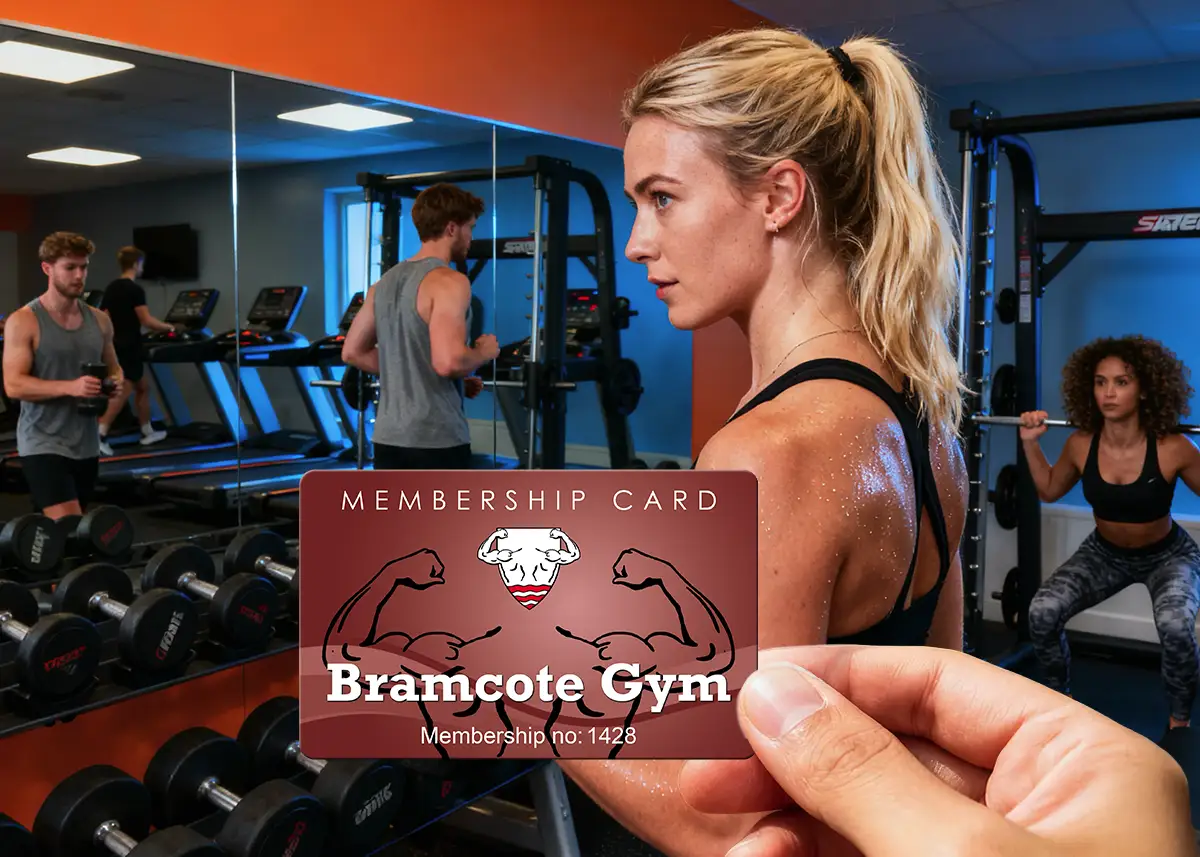
Give every card its own number, so a scan can reject cancelled, expired and duplicated cards. A signature strip or a photoseal, a sealed passport-sized photo, ties the card to its holder. We can’t print a different photo on each card. Stopping cards being copied covers more options.
When should I choose RFID instead?
Choose an RFID card if members tap in at a turnstile or door reader, or if copying is a real worry. The chip sits inside the card, which makes it much harder to copy than anything printed. Our guide to RFID membership cards asks whether a chip is worth paying for. We supply RFID cards unencoded, and the chip type has to match your reader. What is an RFID card? explains the types.
| Barcode | RFID chip | |
|---|---|---|
| How it’s read | Scanned at reception | Tapped on a turnstile or door reader |
| Key tag version | Yes | No: holes aren’t available on RFID cards |
| Price for 25 | From £75.00 +vat, plus the barcode | From £182.00 +vat (1K Mifare) |
How much do membership cards with barcodes cost?
Full colour membership cards start at £75.00 +vat for 25, and barcodes and numbering are optional extras priced on your quote. The price per card falls as the quantity goes up, because much of the work in an order is the same whatever the quantity.
| Quantity | Price from | Per card |
|---|---|---|
| 25 | £75.00 +vat | £3.00 |
| 50 | £79.00 +vat | £1.58 |
| 100 | £85.00 +vat | 85p |
| 200 | £99.00 +vat | 49.5p |
| 250 | £109.00 +vat | 43.6p |
| 500 | £175.00 +vat | 35p |
| 1,000 | £245.00 +vat | 24.5p |
86 x 54mm, 760 microns, full colour on both sides, High Gloss, for one design printed from your print-ready artwork. Delivery is free within Great Britain, and our delivery prices list the charges for Northern Ireland, the Republic of Ireland and the Channel Islands. Prices exclude VAT and optional extras.
How do I order membership cards with barcodes?
Email sales@cpcards.co.uk or use our quote form, and tell us these four things.
- The barcode type, and any start or end characters your system needs.
- The numbers: a start number, or your Excel file attached to the email.
- How many, and whether you also want key tags or combo cards.
- Your artwork, with space left for what changes from card to card and a PDF visual showing where it goes. No artwork? Our design service lays out your card for £29 +vat.
We email a free photorealistic proof, so you can check the layout and wording. The colours on the proof are a guide only, because every screen shows colour differently. If a colour has to be right, add a postal proof to a full colour order. For hot foil cards, ask us about a sample colour being posted to you. Our free artwork check covers bleed, resolution, colour mode and file set-up, not wording. Cards take 7 working days from proof approval and payment, or 3 to 4 with express: ask us for cost and availability.
Questions & Answers
-
How does a barcode on a membership card work?
The barcode holds the member’s number and nothing else. A scanner reads it and passes it to your membership software, which finds the member and shows their record. If a scan fails, staff type in the number printed under the bars.
-
What information does a barcode on a membership or store card hold?
Only a number, sometimes with letters. The name, renewal date, loyalty points or gift card balance are held in your software or till, matched to that number.
-
Which barcode type should I use on membership cards?
The type your membership software or scanner reads, so ask your software supplier first. If it reads any type, use Code 39: it’s the most widely supported, and the default on most of the cards we supply. Code 128 is the most compact.
-
Can each membership card have its own barcode?
Yes. Give us a start number and the cards run on from it, or send an Excel file with one row per card, with the columns formatted as Text. Check your spreadsheet before you send it, because our artwork check is technical and doesn’t cover names or spelling.
-
What size should a barcode be on a plastic card?
It depends on the type and how much it holds. As a rule of thumb, keep the narrowest bar at 0.25mm or more, the bars at least 10mm tall, and clear space of 10 times the narrowest bar either side. Put it on a white box, 3mm inside the edge of the card.
-
Will my scanner read the barcode on the card?
It should, if the scanner is set to read that type, but we can’t test a barcode on your own system. To test it, add a postal proof to your order: a few identical real cards posted to you, to check the barcode’s type, size and contrast on your scanner before the rest are printed. It costs £65 +vat, takes around 5 working days and is for full colour cards.
-
Can a barcode membership card be copied?
Yes. A barcode can be photographed or photocopied, so the security is in your system rejecting a number it shouldn’t accept, and in someone checking the card. If copying is a real worry, or members tap in at a door reader, choose an RFID card instead.
-
Where can I get membership cards with barcodes in the UK?
CP Cards supplies them, printed in England, with a minimum order of 25 cards from £75.00 +vat, plus the barcode, which is priced on your quote. Delivery is free within Great Britain, and our delivery prices list the charges for Northern Ireland, the Republic of Ireland and the Channel Islands. You get a free email proof to check the layout and wording. For a quote, email sales@cpcards.co.uk or use our quote form.
Ready to order membership cards with barcodes?

We quote by email, often within minutes, 9am to 5pm, Monday to Friday. Your free photorealistic proof shows where the names and numbers sit, so you can check the layout and wording before anything is printed.