



Will Plastic Loyalty Cards Work With Your Till?
Usually, yes. A printed loyalty or gift card works with any till that can look up a customer or a gift card by its number. The card carries the number as a barcode, a QR code or a magnetic strip, the scanner reads it, and the till does the rest: points, stamps and balances live in your system, not on the card.
This guide covers which code to put on the card, where the numbers come from, what eight popular till systems say about printed cards, and how to test a card before you order the lot.
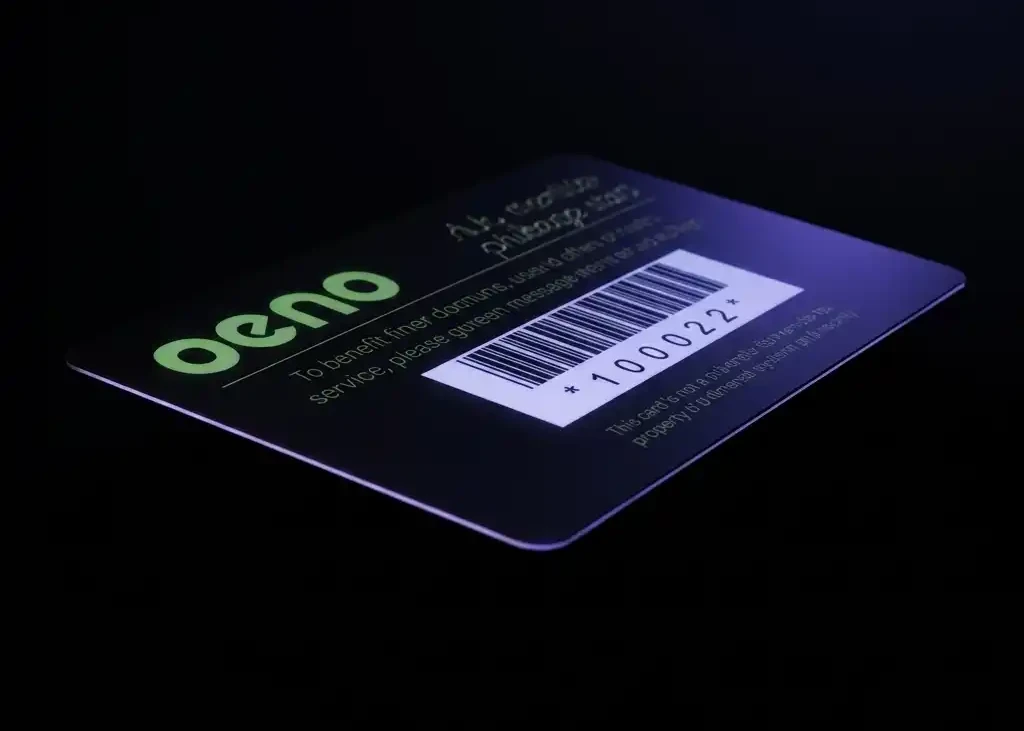
The short versionCheck two things before you order: that your till can find a customer or a gift card from a scanned number, and which barcode your scanner reads. Some systems take any card with a unique code; others only take their own gift cards, or find loyalty customers by phone number. Test one printed card on your own till first.
How does a till read a plastic card?
The card carries a number. The scanner reads it and passes it to the till, just as if someone had typed it in, and the till looks the number up: a customer’s loyalty account, or a gift card’s balance. The card itself doesn’t store points, so a lost card doesn’t have to mean lost points: if your system allows it, they move to a new card.
- PrintEvery card is printed with its own number, as a barcode, a QR code or both, with the number printed underneath.
- LinkWhen the card is handed over or sold, the number is added to a customer’s profile or loaded as a gift card.
- ScanAt the till, the scanner reads the card and the till finds the customer or the balance.
- RecordPoints are added, or the gift card balance goes down, in your system.
Barcode, QR code or magnetic strip?
Use whichever your till already reads. All three do the same job, carrying the card’s number, but each needs its own kind of reader.
| Barcode | QR code | Magnetic strip | |
|---|---|---|---|
| Read by | A barcode scanner, 1D or 2D | A 2D scanner or a phone camera. A 1D scanner can’t read it | A swipe reader |
| What we supply | Code 39, our most popular, plus Code 128, UPC and others on request | The card’s number, or a different web address on every card | Your numbers encoded on the strip, or left blank for you to encode |
| On the card | On a white box, with the number printed underneath | At least 15mm square | HiCo or LoCo, on cards 760 microns thick |
| Suits | Most tills with a scanner | Tills with a 2D scanner, and customers scanning with their phones | Tills that already have a swipe reader |
- 1D or 2D? A 1D scanner reads barcodes made of lines. A 2D scanner reads those and QR codes too. If you’re not sure which you have, hold it over a QR code: a 1D scanner won’t read it.
- Which barcode? The one your system expects. Code 39 is the most popular barcode on the cards we supply; Code 128 is more compact, and Lightspeed recommends it for gift cards.
- Give it room. A barcode scans best on a white box with clear space around it. Our barcodes page and how to add a barcode to a loyalty card cover size and placement.
- Magnetic strips only work with a swipe reader. Our guide to magnetic stripe cards explains what they hold and HiCo v LoCo which strip to choose.
Not sure between a barcode and a QR code? See QR codes v barcodes on loyalty cards.
Where do the card numbers come from?
Your system gives you the codes
Some systems create the codes for you. Lightspeed Restaurant, for example, exports a batch of gift cards as a spreadsheet for your printer. Send us the numbers in an Excel file and each card is printed with its own.
A run from a start number
Give us a start number, such as 10001, and the cards run on from it. You add each card to a customer as you hand it over, by scanning it into their profile. Loyverse and Lightspeed Retail both work this way.
- Format the Excel column as Text, so leading zeros aren’t lost.
- A high start number, such as 10001, avoids leading zeros altogether.
- Print the number under the barcode, so staff can type it in if a scan fails.
- For gift cards, use codes that can’t be guessed. Lightspeed recommends unique, non-sequential codes of at least eight characters, and Shopify needs 8 to 20 letters and numbers.
- Re-orders carry on from the last number issued.
Our guide to numbered plastic cards covers number formats and how to lay out the Excel file.
What do Square, Shopify and other tills say?
We read each system’s own help pages in October 2026. Features change, so confirm with your provider before you order. Where the help pages don’t say, we’ve said so.
| Loyalty cards | Gift cards | |
|---|---|---|
| Square | Customers join and are found by their mobile number. Square’s help doesn’t describe scanning a printed loyalty card. (Square help) | Square gift cards are ordered through your Square Dashboard (Square help). Gift cards from other suppliers can be recorded as a custom payment type, for your records only: Square doesn’t track their balances. (Square help) |
| Shopify POS | Loyalty schemes on Shopify POS come from apps in the Shopify App Store. Ask the app’s provider whether it can find a customer from a scanned card. | Printed cards from another supplier work if each has a unique code of 8 to 20 letters and numbers printed on it. Staff enter or scan the code when the card is sold. (Shopify help) |
| Epos Now | Epos Now says its barcode scanners can scan into the customer search to find a customer’s account, and that they’re 2D scanners, which read QR codes too. (Epos Now) | Its help pages don’t say. Check with Epos Now. |
| Lightspeed Retail (X-Series) | Scan or type the loyalty card’s barcode number into the customer’s Customer code field. Scanning the card on the Sell screen then adds the customer to the sale. (Lightspeed help) | Staff enter or scan the code on the card when it’s sold. Lightspeed recommends Code 128 barcodes and unique, non-sequential codes of at least eight characters. (Lightspeed help) |
| Lightspeed Restaurant (K-Series) | Check with Lightspeed. | Create a batch of gift cards, export it, and print each card’s link as a QR code. Turn on Enable scan to redeem when you create the batch: it can’t be changed afterwards. (Lightspeed help) |
| SumUp | SumUp Loyalty runs through an app: customers download SumUp Local and link a payment card. There’s no physical card. (SumUp) | SumUp says you can note a gift card’s redemption code on a pre-made custom gift card. A write-on panel on a plastic card is made for that. (SumUp) |
| PayPal Zettle | The loyalty programme sends vouchers by email, with a barcode that staff scan at the till. It doesn’t use physical cards. (Zettle help) | Handmade cards with a code written on, or pre-made cards with a scannable code, which you set when you order them. Values from £1 to £1,000. (Zettle help) |
| Loyverse | Save the barcode from the customer’s loyalty card in their Customer code field, with a scanner, the camera or the keypad. Scanning the card at a sale then finds the customer. (Loyverse help) | Check with Loyverse. |
If your system only works with its own cards, or finds customers by phone number, a plastic stamp card still works alongside it. Our guide to digital vs plastic loyalty cards compares the two.
How can you test a card before ordering?
We can’t test a barcode or QR code on your till, because every till and scanner is different. Two ways to check before the full order:
- Print the email proof at actual size and try the barcode on your scanner. It’s free, and a quick first check of the barcode type and size.
- Order a postal proof: a printed card posted to you before the full order is made, so you can scan or swipe it on your own till. A postal proof is £65 +vat and takes around 5 working days; a revised one is £35 +vat.
A sample pack shows the card types and finishes, and its cost is deducted from your order if you order within 30 days.
Questions to ask your EPOS provider
- Can the till find a customer, or a gift card balance, from a scanned card number?
- Does it accept cards from any printer, or only its own?
- Which barcode types does it read: Code 39, Code 128, EAN or QR?
- Is our scanner 1D or 2D?
- Who sets the card numbers, and are there rules on length or characters?
- Can we import a list of card numbers, or is each card added as it’s handed over?
- If a customer loses a card, can their points move to a new one?
Send us the answers with your quote request and we’ll supply cards to match.
Questions & Answers
-
Will plastic loyalty cards work with my till?
Yes, if your till can find a customer or a gift card from a scanned number. Each card is printed with its own number as a barcode, a QR code or a magnetic strip. Some systems only accept their own gift cards, or find loyalty customers by phone number, so check with your provider first.
-
What barcode should a loyalty card have?
The one your till expects. Code 39 is the most popular barcode on the cards we supply, and Code 128 is more compact. Ask your EPOS provider which it reads before you order.
-
Can a barcode scanner read a QR code?
Only a 2D scanner. A 1D scanner reads barcodes made of lines but can’t read a QR code. A 2D scanner reads both.
-
Does a plastic loyalty card store the customer’s points?
No. The card carries a number. The points, stamps or gift card balance are held in your till against that number, so a lost card doesn’t have to mean lost points.
-
Where do the card numbers come from?
Either your till gives you the numbers and you send them to us in an Excel file, or the cards are printed as a run from a start number and you add each card to a customer as you hand it over.
-
Can I use my own printed gift cards with Square?
Square gift cards are ordered through your Square Dashboard. Square’s help says gift cards from other providers can be recorded as a custom payment type, but Square doesn’t manage their balances.
-
Can I use printed gift cards with Shopify POS?
Yes, if each card has a unique code of 8 to 20 letters and numbers printed on it, according to Shopify’s help. Staff enter or scan the code when the card is sold.
-
How can I test a card on my till before ordering?
Order a postal proof: a printed card posted to you before the full order is made, for £65 +vat, in around 5 working days. Scan it on your own till before you approve the order.
Ready to order?
Tell us which till or loyalty system you use and the barcode it reads, and we’ll quote for cards numbered to match.
Your free photorealistic proof shows the barcode and number in place before anything is printed.