



Gift Card Printing: A Guide for Small Businesses
You run a café, a shop, a salon or another small business, and you want to sell gift cards: one customer pays, and someone else spends the card with you. Good idea: a gift card brings in a new customer who didn’t choose you, somebody else chose you for them.
Before anything is printed, decide what each card buys and how you’ll keep track of it. This guide sets out the four ways to set gift cards up, which suits your business, what to put on the card and what to leave off, and what to order.
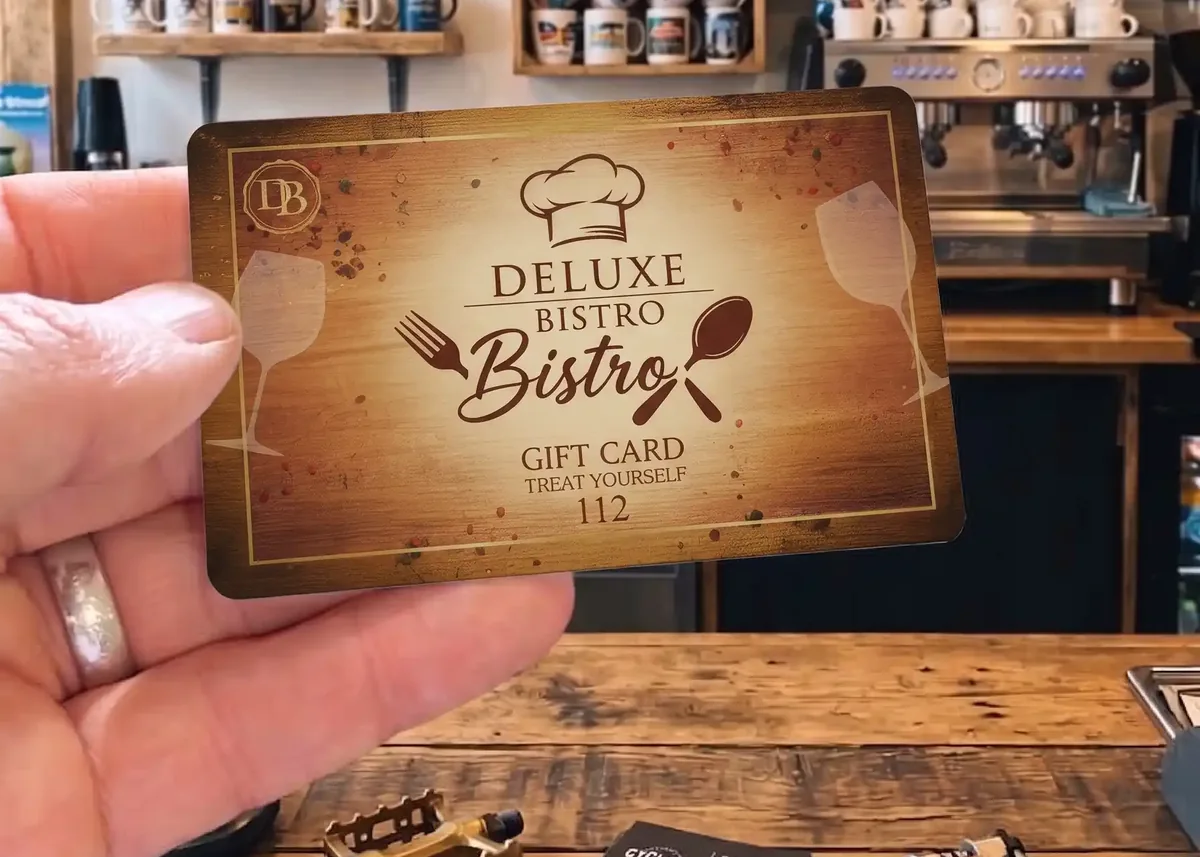
The short versionDecide first whether each card buys an amount of money or a named item. For most small businesses the best set-up is one design with write-on panels for the amount or item, a printed number on every card, a QR code to your website and a few lines of terms. Leave prices, staff names and dates off the printed design.
Four ways to set up gift cards
The first decision is what each card buys: a named item or experience, or an amount of money to spend on anything you sell. The second is where that’s recorded: printed on the card, written on when it’s sold, or held on your till or booking system. That gives four options.
Hollin & Hearth is made up for this page. The codes in the drawings are illustrations and won’t scan.
Which option suits your business?
Three questions settle it for most small businesses. Start at the top.
- Selling gift cards?
- Does your till or booking system manage gift cards?If yes: Option DA card number your system reads
- If not: Do most buyers choose one thing, such as a meal or an experience?If yes: Option AName it on the card
- If not: Are you happy for staff to write on each card when it’s sold?If yes: Option CWrite-on panels
- If not: Option BPrinted money values
Option C, with numbers
One design with write-on panels for the amount or item, a printed number on every card and a register. It suits a business whose prices change, selling a few hundred cards a year.
Options A and B together
A card for your best-selling treat or experience, plus money-value cards for everything else. Customers who know what they want can buy it; the rest can let the recipient choose.
Gift cards by type of business
What usually sells as a gift, and the one thing worth knowing, for some of the businesses we supply gift cards to.
| Business | What usually sells | Worth knowing |
|---|---|---|
| Cafés, restaurants and pubs | A named treat such as afternoon tea for two (option A), or money values (B) | Name the experience rather than the dishes: menus change. |
| Shops and boutiques | Money values (B), or one design with the amount written on (C) | Say whether the card can be spent online as well as in store. |
| Hotels and B&Bs | A named stay or dinner (A), or money values (B) | Leave room rates off the card: they change with the season. |
| Salons, spas and clinics | A named treatment (A), or money values (B), booked by quoting the card number | Some treatments need a consultation or patch test first, so say so on the card. |
| Leisure and activities | A named session or a family pass (A), with a QR code to book | Put “subject to availability” in your terms. |
What to put on a gift card
Here’s option C, the most common choice, laid out front and back. The front is the present; the back does the work. Our guide to designing a gift card goes into the layout and wording in more detail.
- Your name and logo. The first thing the recipient sees is who it’s from.
- The words “Gift Card”, and a short, warm line if you like. Nothing that dates it.
- To and From. Turns the card into the gift tag too. Write-on panels take an ordinary pen.
- What it’s for. The amount, or the item or experience, written in when it’s sold.
- Valid until, and who sold it. A written date, so one design never goes out of date, and initials so you know who to ask.
- A card number. Printed on every card, so every card can be found in your register.
- A QR code to your website or booking page. The same code on every card is part of your artwork and costs nothing extra. Keep it at least 15mm square.
- How to use it. In store, online or when booking, quoting the card number.
- Two or three lines of terms. The rest can go on your website.
What to leave off
Terms you can copy
Lines that small businesses commonly use. Choose the ones that match how you actually work, and change the words in brackets. They’re a starting point, not legal advice: your terms are your decision, and they should match what you say on your website and at the till.
Can be used [in store and online].
[Any balance stays on the card. / Must be used in one visit.]
No cash alternative.
Treat this card like cash: it can’t be replaced if lost.
[Bookings are subject to availability.]
[Not for resale.]
Keep only the essentials on the card and put your full terms on your website, where the QR code on the back can take people.
From sale to spending: keeping track
A gift card is money taken now for something you give later, often months later. A simple routine stops a card being used twice, and tells you at any moment how much you owe in gift cards.
- SellFill in To, From, the amount or item, the valid-until date and your initials.
- RecordWrite the card number, date, amount or item and price in your register.
- SpendThe recipient uses the card, or books quoting its number. Check it in the register.
- RedeemKeep the card or mark it used, and note the date and any balance left.
A register can be a notebook or a spreadsheet. What matters is that every card number is on it, with what it’s for and whether it’s been used, and the initials of whoever sold and redeemed it if more than one of you works the till:
| Card | Sold | For | Paid | Used |
|---|---|---|---|---|
| 0427 | 2 Nov | Afternoon tea for two | £44 | 14 Dec |
| 0428 | 5 Nov | £50 value | £50 | – |
| 0429 | 5 Nov | £25 value | £25 | – |
If a card can be spent over more than one visit, add a column for the balance and update it each time.
Numbers can be printed in any CMYK colour, so they can match your design rather than look stamped on: give us a start number and the cards run on from it. Our guide to numbered plastic cards explains the options, and stopping cards being copied covers what else helps.
Secret codes under a scratch-off panel
If customers can spend a gift card online by typing in a code, on your website or your booking system, give every card its own secret code under a scratch-off panel. A code printed in the open on a card in your counter display is a code anyone can photograph and use. Under the panel it stays hidden until the person who was given the card scratches it.
Each card then carries two numbers with two jobs. The secret code is what the card is worth, so it’s hidden. A small serial number is printed where it can always be seen, so you and your staff can tell which card is which without scratching it, and look up its code if a customer says it won’t work.
- The panel. Most sizes are possible; a typical panel is 8mm x 75mm, and it has to stop at least 4mm from the edge of the card. Nothing can be printed on the panel itself, so the instruction goes beside it.
- The codes come from a spreadsheet you send us, one row per card: the serial number in column A and the secret code in column B. If your till, website or booking system can create the codes and export them, use that export.
- Your copy of the file is your register. It’s the only record of which code is on which card, so keep it safe, and mark codes off as they’re used.
- Keep the code unrelated to the serial number, so nobody can work one out from the other, and never put the secret code in a barcode: anyone can scan a barcode with a phone.
- Format both columns as Text in Excel before you paste anything in, or it will strip the zeros from 0430.
| Row | A | B |
|---|---|---|
| 1 | Serial number | Secret code |
| 2 | 0430 | HX7N-QT4K-WP9C |
| 3 | 0431 | 7DMF-RC3Y-KJ6V |
| 4 | 0432 | QW4P-9TXH-MC7R |
| 5 | 0433 | FK3J-YV6N-D9QG |
Step by stepOur guide to gift card codes in Excel or CSV shows exactly how to lay the file out, how to make codes that are easy to type, how to stop Excel changing your numbers and how to find a card’s code later, with example files to download.
Secret codes suit businesses whose gift cards are spent online. If every card is spent at your till, a printed number and a register (option C) does the same job more simply. Scratch-off panels are not available on EcoTough plastic cards or Plastic-Free Board cards.
Making it look like a present
A gift card is a present first, so design it like one: your name, one strong image and space around it, rather than everything you sell. These are some of the gift cards in our gift card examples, from a café, a bowling alley, a restaurant and a pet shop; select one to see its front and back.


- Premium Matt gives a softer, understated look and helps disguise scratches on dark designs. It’s £20 +vat per order; High Gloss, which makes colours richer, is included. Compare the two.
- Gold or silver. A metallic base card makes the whole card gold or silver, or metallic foiling picks out just your logo. White can’t be printed on a metallic base card.
- Matching loyalty cards. Many businesses order gift cards and loyalty cards in the same design, so the two read as a set.
Selling them
Gift cards sell when people see them. Keep a few on show by the till with a small sign, mention them when customers pay, and put a line about them on your website, your receipts and your emails.
Gift cards sell in waves: Christmas, Valentine’s Day, Mother’s Day, Father’s Day and birthdays all year round. Order well before each one: standard production is 7 working days from proof approval and payment, and express production of 3 to 4 working days is also available — ask us for cost and availability.
What to order
A typical first order for a small business:
- 100 full colour gift cards, 86 x 54mm and 760 microns thick, printed on both sides (from £85.00 +vat for 100)
- Write-on panels for To and From, the amount or item, valid until and initials
- Sequential numbering on the back, starting from a number you choose
- A QR code to your website or booking page, built into your artwork at no extra cost
- Premium Matt (£20 +vat per order) or High Gloss (included)
- Optional: a scratch-off panel with a secret code under it on every card, if customers spend them online, with the codes supplied in a spreadsheet
Write-on panels, numbering and scratch-off panels are priced on your quote. Gift cards start at 25 cards, so you can try a scheme before committing to more, and the price per card falls as the quantity rises: our price guide gives example prices.
Not sure? Just askEmail us a line about your business and what you’d like to sell as gifts, and we’ll suggest the right set-up with a quote, usually within about 10 minutes, 9am to 5pm, Monday to Friday. Our in-house design service can lay the card out for £29 +vat.
Questions & Answers
-
Should a gift card for a named item show its price?
No. Print the item or the amount, never both. A printed price goes out of date as soon as your prices change, and the card will outlast it.
-
Is it better to sell gift cards for an amount or for a named item?
A money value is the most flexible: your price changes don’t matter and the recipient chooses. A named item or experience, such as afternoon tea for two, feels more personal. Many businesses sell both, or use one design with a write-on panel for either.
-
Can I write the amount on a gift card when I sell it?
Yes, with a write-on panel, which takes an ordinary pen. One design then covers every amount and every item. Give every card a number and keep a register, because a written card can be altered.
-
How do I stop a gift card being used twice?
Give every card its own number, record each one in a register when it’s sold, check the register when it’s used, and keep the card or mark it used once it’s spent.
-
Can a gift card link to my website?
Yes. A QR code to your website or booking page can go on the back. If every card carries the same code it’s part of your artwork and costs nothing extra. Keep it at least 15mm square.
-
Do my gift cards need a scratch-off panel?
Only if customers spend them online by typing in a code. Each card then gets its own secret code under the panel, hidden until the recipient scratches it, and a visible serial number so you can match each card to its code in your file. If every card is spent at your till, a printed number and a register is simpler.
-
What terms should I print on a gift card?
The essentials: how long it’s valid, where it can be spent, that there’s no cash alternative, and what happens if it’s lost. Fuller terms can go on your website.
-
What size is a printed gift card?
86 x 54mm, the same size as a bank card, and 760 microns thick, printed in full colour on both sides. It fits a wallet or purse like any other card.
-
How long do printed gift cards take?
Standard production is 7 working days from proof approval and payment. Express production of 3 to 4 working days is also available: ask us for cost and availability.
-
How many gift cards should I order?
Gift cards start at 25 cards, so you can try a scheme first. Most small businesses start with 100 to 250, and the price per card falls as the quantity rises.
Not sure which set-up is right for you?

Email us a line about your business and what you’d like to sell as gifts. A real person will reply, usually within about 10 minutes, 9am to 5pm, Monday to Friday, with a suggested set-up and a quote.
Every full colour order comes with a free photorealistic proof, so you see exactly how the card will look before anything is printed.