



Gift Cards With Barcodes: How They Work
A barcoded gift card stores no money. The barcode holds a number and your till holds the balance: staff scan the card, the till finds that number and takes off what’s spent. So every card needs its own number, from your till or your own list, and we supply the cards printed with them.
This guide is only about the barcode. For the wider decisions, such as what each card buys, see our gift card printing guide.
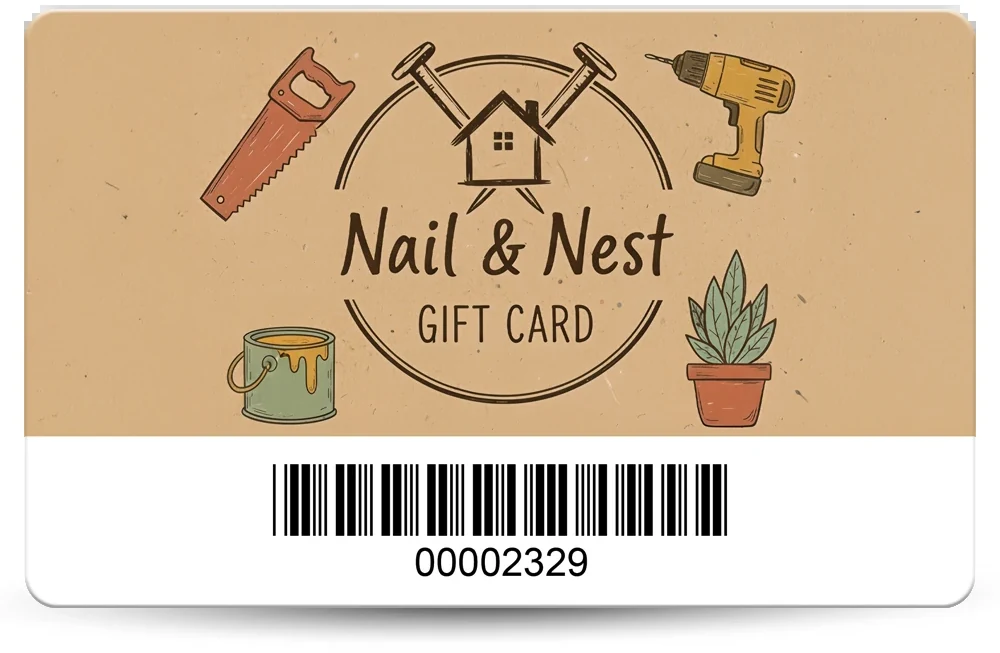
The short versionAsk your till supplier whether it accepts printed cards and which barcode it reads. Send us one number per card in an Excel or CSV file, and each card is printed with its own barcode. Ask for it on a white box with the number underneath, the narrowest bar at 0.25mm or more and the bars at least 10mm tall. To scan real cards on your own till first, add a postal proof to your order.
How does a barcode gift card work at the till?
The card carries a number and the till does the rest, so the barcode never changes: only the balance on your till does. You need a till with a gift card feature that can look a card up by its number.
- PrintEvery card has its own barcode, with the number underneath.
- SellStaff scan it and the till loads the value against that number.
- SpendStaff scan it again and the till takes off the amount spent.
- BalanceAnything left stays on the till, for next time.
No gift card feature on your till? A barcode won’t help, so use numbered gift cards and a simple register instead.
Does each gift card need its own barcode?
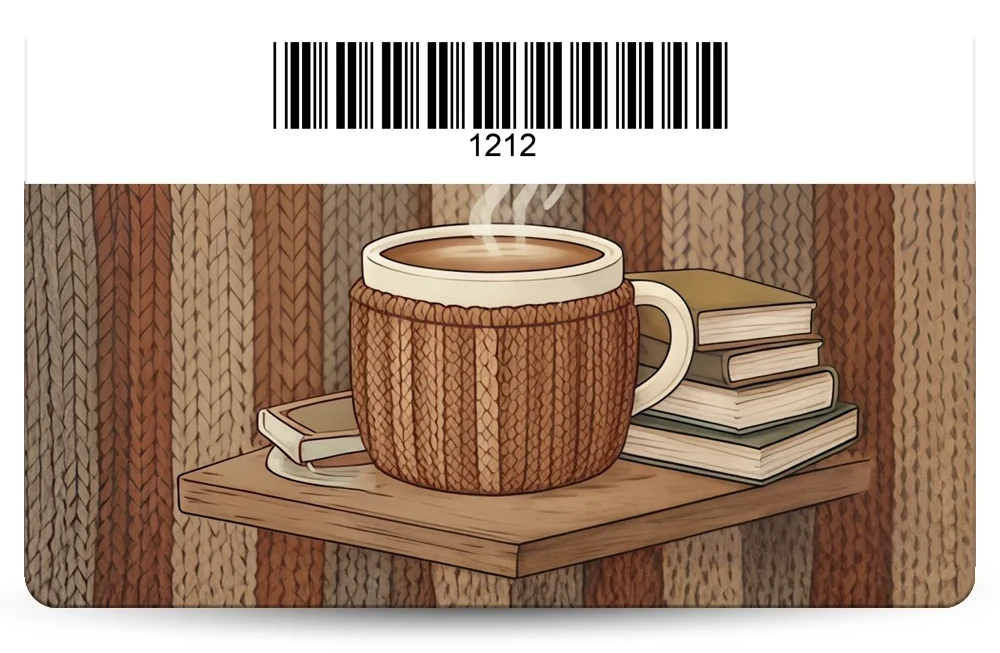
Yes, if the balance is held on your till. The till finds a balance by its number, so two cards with one barcode would share one balance, and spending one would use up the other.
A barcode that’s the same on every card can only tell the till it’s a gift card, not which one or how much is left.
Print the number under the bars too, so staff can type it in if a scan fails. On our full colour PVC cards, barcodes are printed under the surface, so they can’t be scratched or rubbed away.
On our white hot foil cards a barcode has to be the same on every card, so for a balance held on your till, use full colour cards. For the other hot foil ranges, ask us.
Which barcode type should a gift card use?
The one your till reads, so your till supplier decides. Ask before you design anything, because many scanners only read the types they’ve been switched on for.
| Type | Worth knowing |
|---|---|
| Code 39 | The most popular on our cards and the most widely supported, but it takes more room. |
| Code 128 | More compact: a number-only code is about half the width. |
| EAN5, UPC and others | Only if your system asks for one. |
Our guide to barcodes on plastic cards compares Code 39 and Code 128.
Will a printed barcode gift card work with my till?
It depends on the till: some scan printed cards, some only type a code, and some only take their own. This is what each system’s help pages mean for a barcode. Our guide to printed cards and tills has more, and features change, so confirm with your provider.
| Till | For a barcode |
|---|---|
| Lightspeed Retail (X-Series) | Staff enter or scan the code. It recommends Code 128, with unique, non-sequential codes of at least eight characters. |
| Lightspeed Restaurant (K-Series) | Use a QR code instead: export a batch, and each card’s link is printed as a QR code at least 15mm square. Turn on Enable scan to redeem when you create the batch, because it can’t be changed afterwards. |
| PayPal Zettle | Pre-made cards carry a scannable code, which you set when you order them. Ask which code it scans. |
| Shopify POS | Leave it off: staff type a code of 8 to 20 letters and numbers. See gift cards for Shopify POS. |
| Square | Other suppliers’ cards are recorded as a custom payment type, so Square only logs the sale. You’d keep the balances yourself. |
| SumUp | You can note a redemption code on a pre-made card, so use a write-on panel instead. |
The help pages for Epos Now and Loyverse don’t say. For any till, ask: can it find a balance from a scanned number, does it accept cards from any printer, and which barcode types does it read?
Where do the gift card numbers come from?
From your till, your own list, or a start number you give us. Whichever it is, the number on the card has to be one your till can find. You don’t make the barcodes yourself: send us the numbers and each card is printed with its own.
- Your till or gift card system. Many can create the codes and export them as a spreadsheet. If yours can, use that export.
- Your own list, in an Excel or CSV file.
- A start number, such as 10001, and the cards run on from it. Re-orders carry on from the last number issued. Numbers in order are easy to guess, so check your till supplier is happy with them.
| Row | A | B |
|---|---|---|
| 1 | Card number | Barcode |
| 2 | 00104522 | 00104522 |
| 3 | 00104523 | 00104523 |
| 4 | 00104524 | 00104524 |
Use one row per card, with a column for everything printed. Format the columns as Text before you paste anything in, or Excel drops the zeros from 00104522. Check your spreadsheet before you send it, because our artwork check is technical and doesn’t cover names, numbers or spelling. Our guide to gift card codes in Excel or CSV shows the layout step by step, with example files.
What size should the barcode be on a gift card?
As a rule of thumb, keep the narrowest bar at 0.25mm or more, the bars at least 10mm tall, and clear space either side of 10 times the narrowest bar. Barcodes can be any size, but your scanner decides how small is too small.
- A white box. Black bars, never red, orange or yellow.
- Clear space, or quiet zone, so a scanner can find where the bars start and stop.
- The number, for typing in if a scan fails.
- How to use it, in a line or two.
- Your terms, and a write-on panel for the valid-until date, filled in when the card is sold: see VAT and expiry rules.
- The safe area, 3mm inside the edge. Keep the barcode and its clear space inside it.
A long number makes a wide barcode, and an 86mm card has 80mm inside the safe area. These widths include the clear space.
| Number on the card | At 0.25mm bars | At 0.33mm bars |
|---|---|---|
| Code 39, 8 characters | 45mm | 59.4mm |
| Code 39, 12 characters | 61mm | 80.5mm |
| Code 39, 16 characters | 77mm | 101.6mm |
| Code 128, 8 digits | 24.8mm | 32.7mm |
| Code 128, 16 digits | 35.8mm | 47.2mm |
| Code 128, 16 letters and digits | About 58mm | About 76mm |
A guide, not a limit, worked out with the same barcode library as our free barcode generator.
A Premium Matt finish has no glare, so barcodes scan more easily. It’s £20 +vat per order, and High Gloss is included.
Can a barcode gift card be spent online too?
Only if your gift card system takes online payment by code, so ask your provider. If it does, the code customers type shouldn’t be the barcode. Anyone can scan a barcode with a phone, so the barcode carries the card number, and the secret code goes under a scratch-off panel.
- The barcode holds the card number, which your till scans.
- The same number, on show, so staff can tell which card is which without spoiling the panel.
- The panel hides the code. A typical panel is 8mm x 75mm, stops at least 4mm from the edge, and can’t be printed on.
Keep the secret code unrelated to the card number, and give each its own column in your file. Scratch-off panels aren’t available on EcoTough or Plastic-Free Board cards.
Are magnetic strip gift cards better than barcodes?
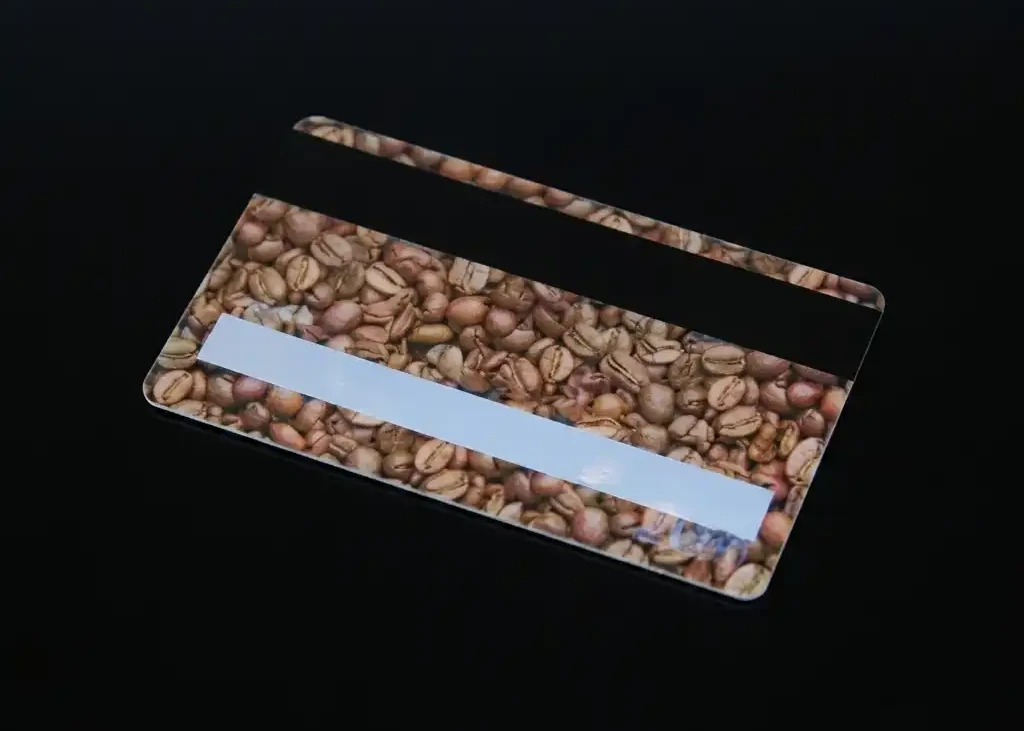
Neither is better: use whichever your till already reads. A magnetic strip gift card, also called a mag stripe or magstripe gift card, works the same way, with a number on the strip and the balance on the till, but it needs a swipe reader.
We can encode the strip from a start number or an Excel file, or leave it blank for you to encode. We recommend HiCo for gift cards, because a phone case magnet can wipe a LoCo strip, but check your system can use HiCo first. On standard PVC, a card with a strip must be the 760 micron thickness, and strips aren’t available on EcoTough or Plastic-Free Board. A card can carry a strip and a barcode with the same number. Running a member scheme too? Membership cards with barcodes work the same way.
| Barcode | Magnetic strip | |
|---|---|---|
| Read by | A barcode scanner | A swipe reader |
| On the card | Any size, anywhere, on a white box | 13mm x 86mm, on the back, 3mm down from the top edge |
| Holds | The card’s number, with letters if you need them | Track 1: 76 letters and numbers. Track 2: 37 numbers. Track 3: 104 numbers |
Our magnetic strip specifications have the details.
How do I test a barcode gift card before the full run?
Add a postal proof to your order: we post you a few identical real cards with the barcode in place, so you can check its type, size and print on your own scanner. We can’t test them for you, because every till and scanner is different.
It’s optional, for full colour cards only, £65 +vat, and takes around 5 working days. Once you approve it, the rest are printed in around 7 working days.
To try a card, make sure its number is on your till, scan it and check the till finds it. Ask your till supplier how to do that without leaving a live balance on the card. For a free first check, make one barcode of the right type and size with our free barcode generator, print it at actual size and try it on your scanner.
How do I order plastic gift cards with barcodes?
Email sales@cpcards.co.uk or use our gift card quote form. We often reply within minutes, 9am to 5pm, Monday to Friday. Tell us:
- The barcode type your till supplier gave you.
- The numbers: your Excel or CSV file, or a start number.
- Your artwork, at 92 x 60mm with 3mm of bleed, or your logo and wording for our £29 +vat design service. Tell us where you want the barcode, and we’ll confirm how to set up your file.
- How many cards, and whether you’d like a postal proof.
Custom barcode gift cards are 86 x 54mm and 760 microns thick, printed in full colour on both sides, then bonded between clear PVC sheets and cut, so the print can’t scratch or wear off. Your free email proof shows where the number and barcode sit, so you can check the layout and wording. The colours on the proof are a guide only, because every screen shows colour differently.
Production takes 7 working days from proof approval and payment. Express takes 3 to 4 working days: ask us for cost and availability.
How much do they cost?
Gift cards start at £75.00 +vat for 25, and the price per card falls as the quantity goes up, because much of the work in an order is the same whatever the quantity. See how to keep the cost down.
| Quantity | Price from |
|---|---|
| 25 | £75.00 +vat £3.00 each |
| 50 | £79.00 +vat £1.58 each |
| 100 | £85.00 +vat 85p each |
| 200 | £99.00 +vat 49.5p each |
| 250 | £109.00 +vat 43.6p each |
| 500 | £175.00 +vat 35p each |
| 1,000 | £245.00 +vat 24.5p each |
Prices are for one design from your print-ready artwork. Delivery is free within Great Britain, and our delivery prices list the charges for Northern Ireland, the Republic of Ireland and the Channel Islands. They exclude VAT and extras such as barcodes and numbering, which are priced on your quote.
Questions & Answers
-
How does a gift card with a barcode work?
The barcode holds a number and your till holds the balance. When the card is sold, the till loads the value against that number. When it’s spent, staff scan it and the till takes off the amount, and anything left stays on the till.
-
Does each gift card need its own barcode?
Yes, if the balance is held on your till. The till finds a balance by its number, so two cards with one barcode would share one balance.
-
Which barcode should a gift card use?
The one your till reads, so ask your till supplier first. Code 39 is the most popular on the cards we supply, and Code 128 is more compact.
-
Can you print custom barcodes from my own list of numbers?
Yes. Send one number per card in an Excel or CSV file, formatted as Text, and each card is printed with its own barcode. You can also give us a start number and the cards run on from it.
-
What size should a barcode be on a gift card?
As a rule of thumb, keep the narrowest bar at 0.25mm or more, the bars at least 10mm tall, and clear space either side of 10 times the narrowest bar. It should sit on a white box with the number underneath.
-
Should the secret code go in the barcode?
No. Anyone can scan a barcode with a phone, so the barcode should carry the card number. If customers spend the card online by typing in a code, print that code under a scratch-off panel.
-
Can a gift card have a magnetic strip (mag stripe) instead of a barcode?
Yes, if your till has a swipe reader. The strip holds the card’s number just as a barcode does. We can encode it from a start number or an Excel file, or leave it blank for you to encode.
-
Where can I get plastic gift cards with barcodes in the UK?
CP Cards supplies them, printed in England. Delivery is free within Great Britain, and our delivery prices list the charges for Northern Ireland, the Republic of Ireland and the Channel Islands. Our minimum order is 25 cards, from £75.00 +vat, with barcodes priced on your quote. Every order gets a free email proof, so you can check the layout and wording before anything is printed. For a quote, email sales@cpcards.co.uk or use our quote form.
Ready to order barcode gift cards?

Tell us which till you use, the barcode it reads and how many cards you need. We’ll quote by email, often within minutes, 9am to 5pm, Monday to Friday.