


Plastic Gift Cards and Square: What Works and What Doesn’t
Gift cards printed by another supplier, ours included, can’t be sold as Square gift cards in Square POS: Square’s own help says only plastic gift cards ordered through Square can be loaded, sold or accepted there. But there are documented ways to use printed cards with Square, and we can supply the cards.
This guide covers Square’s own gift cards, three routes for printed cards and what to send us for each. We read Square’s UK help pages and developer docs in November 2026. For the wider choices, such as what each card buys, see our gift card printing guide, and for prices, our plastic gift cards page.
The short versionSquare’s own gift cards are ordered through Square. To use printed cards from us with Square, pick a route. Without a developer, keep your own register of cards and balances, and record each payment in Square POS with a custom payment method. With a developer or an app, Square gift cards can carry your own numbers, digits only, printed on our cards with a QR code: test real cards first. Moving to Square with cards already sold? Square Support can import them, once.
Can I sell my own printed gift cards as Square gift cards?
No. Square’s UK help says only plastic gift cards ordered through Square can be loaded, sold or accepted in Square POS or on your Square website. Square’s plastic cards carry Square’s own 16-digit numbers, starting 778273, and its developer docs say a seller can only sell physical Square gift cards ordered from Square.
So a card from another supplier, ours included, can’t be sold as a Square gift card at your till. These are the ways printed cards can work with Square instead.
| What you want to do | With Square |
|---|---|
| Sell a card from another supplier as a Square gift card | No Square’s help allows only plastic gift cards ordered through Square. |
| Take your own gift cards as payment, with the balances in your own register | Yes Record each payment with a custom payment method. Square records the payment but doesn’t keep track of the balance. No developer needed: see route 1. |
| Put your own printed numbers on Square gift cards | With a developer Square’s Gift Cards API can create gift cards with your own numbers, to be printed on our cards. It needs a developer or an app, and real cards should be tested first: see route 2. |
| Bring cards you’ve already sold into Square | Once Square Support can import them one time when you move to Square, and they can’t be reloaded: see route 3. |
| Swipe a magnetic strip on a card from another supplier | Not documented We found no Square page that says this works, so don’t rely on it. |
Other tills work differently. Shopify POS, for example, accepts gift cards from another supplier if each has its own printed code of 8 to 20 letters and numbers, which staff type in: see gift cards for Shopify POS. Our guide to printed cards and tills covers more systems.
What do Square’s own gift cards do?
Square keeps track of each card’s balance for you. Staff sell and take the cards in Square POS, which finds each card’s balance from its number. This is how Square’s UK pages describe them:
- Plastic cards are ordered in Square Dashboard: Gift Cards, then Plastic Gift Cards and Order Cards, as a Quick Card or a Custom Card.
- eGift cards are sent by email or text, and customers can buy them on a free eGift card order site.
- At the till, staff swipe a plastic card, scan its QR code or barcode, or type its 16-digit number. Scanning by QR code or barcode scanner works only on iOS devices at present.
- No expiry date. Square’s UK terms don’t allow one, and any balance stays usable even if your Square account closes.
- A £750 limit on each card, and no more than £7,500 in gift cards to one person in a day.
- Spent in person or online, at any of your locations through Square POS, or on your Square Online site.
Square’s gift cards page has its prices, and its help on setting up and ordering gift cards has the steps. If Square’s own cards do what you need, order them from Square. Weighing up eGift cards against plastic? See digital vs plastic gift cards.
Already selling Square’s own plastic cards? Our card carriers and wallets can be ordered on their own, to hand each card over as a present: ask us which format suits your cards.
Route 1: how do I use my own gift cards with Square without a developer?
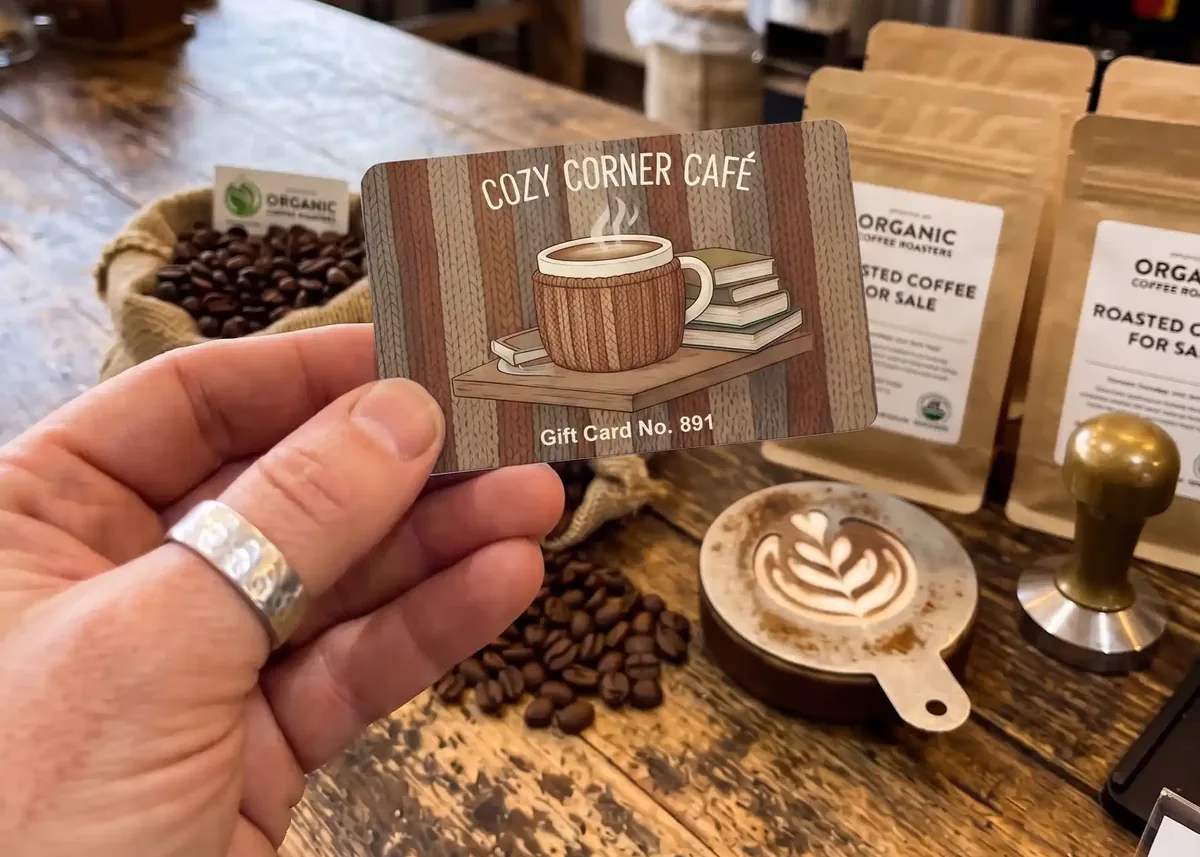
Run the gift cards yourself, with a register of every card, and record each payment in Square POS with a custom payment method. Square’s UK help says custom payment methods track payments from outside sources, and names non-Square gift cards as an example. For these, Square processes no money and acts only as a record, so the balance lives in your register, not in Square.
Set it up once
In Square Dashboard, go to Settings › Account & Settings › Payments › Payment Methods › Custom Payment Methods. Click Add Payment Method, give it a name, and turn on Activate on Point of Sale. It then shows on all your Square POS devices. Name it after your business, such as Kilnby gift card, so staff don’t mix it up with Square’s own Gift card button, which is for Square’s cards.
The routine at the till
When you sell a card, take payment as usual and write the card in your register: its number, the date, and the amount or item it was sold for. Then, each time it’s spent:
- Check. Find the card’s number in your register and check what’s left on it.
- Record. In Square POS, tap Charge, then More, then Custom Payment Methods, and choose yours. Add the card number as a note.
- Update. Take what was spent off the balance in your register, here £18 of £30, or mark the card used.
Square’s reports show these payments as Other, with a line for each custom payment method. Square doesn’t check the card or its balance, so the register is what stops a card being spent twice: give every card its own number, keep the register up to date, and keep the card or mark it used once it’s spent. For a ready-made register, use our free gift card register template, and our guide to numbered gift cards covers the numbers.
What route 1 suits
- Treatment or experience vouchers, such as a pottery session for two, with the item printed on the card.
- Cards with an expiry date. The scheme and its terms are yours. If your cards expire, the date must be clear and the terms fair, so write it on when the card is sold.
- A value written on at the till, on a write-on panel that takes an ordinary ballpoint pen, so one design covers every amount.
Whether VAT is due when you sell a card or when it’s spent depends on what it can be spent on: see our gift card VAT and expiry rules. For the wording on the back of the card and on your website, see gift card terms and conditions.
Route 2: can Square gift cards carry my own printed numbers?
Yes, with a developer or an app. Square’s Gift Cards API can create gift cards with custom numbers, which Square calls custom GANs (gift card account numbers), and we supply the cards printed with those numbers. Square’s docs show custom numbers on digital gift cards, so in Square each card would be a digital gift card, and the plastic card carries its number so it can be handed over as a present.
It isn’t a setting in Square POS. A developer, or an app built on Square’s API, creates the cards and loads their value. Square’s docs describe doing that through the API, and don’t describe selling these cards with the gift card buttons in Square POS, so ask your developer how staff will sell each card. Route 2 suits a business that wants Square to keep track of the balances on cards it designs itself.
Square’s rules for numbers staff can scan and type
Square’s developer docs set these rules for a custom number that will be scanned as a QR code or barcode. Keeping to digits also lets staff type the number in, as the forum answer below explains.
- Digits only. Square allows letters in custom numbers, but only numbers can go in a QR code or barcode.
- 8 to 20 digits long, and different for every card on your Square account.
- Passes the Luhn check, a check-digit test your developer can run.
- Doesn’t start like another card: not with Square’s own 778273 or 778332, and not with the numbers major credit cards start with.
- Hard to guess. Square warns against patterns and easy numbers such as 12345678.
- The code holds sqgc:// and the number, for example sqgc://831389782705. Square’s APIs don’t make the code pictures, so each card’s code is printed from your developer’s file.
- The number, large and clear, in groups of four to make it easy to read. Staff type it without the spaces. Square’s UK help says loading and redeeming gift cards by QR code or barcode scanner works only on iOS devices at present, so the number has to be easy to type too.
- The QR code, holding sqgc:// and the number, at least 15mm square. Square’s docs don’t name a barcode type, so if you’d rather have a line barcode, your developer decides which.
- Your terms, in a line or two, with the full terms on your website.
Test before the full run
Square’s developer docs say cards with custom numbers can be redeemed just like cards with Square’s own numbers. A Square employee answering on Square’s developer forum in September 2026, about a salon in Canada, was more cautious: generally, Square would recommend its own numbers. The same answer says custom numbers that include letters can’t be typed into Square POS or scanned with Square hardware, though numbers made of digits can be typed.
Square’s UK help also says its eGift cards don’t work with API integrations. So before you order, ask your developer to confirm with Square that custom numbers work on your UK account, keep to digits, and try real cards in your own Square POS before the full run: see testing below.
We found no Square page that says a magnetic strip on a card from another supplier can be swiped in Square POS, so we don’t suggest one for Square. Our guide to magnetic stripe gift cards covers the tills that do swipe them. If your cards hold value before they’re sold, keep them like cash: see how to stop gift card fraud.
Route 3: can Square import gift cards I’ve already sold?
Yes, once, if you’re moving to Square with gift cards from another provider already in customers’ hands. Square’s developer docs say you follow a one-time process with Square Support to import them, and they can then be redeemed like Square gift cards. Imported cards can’t be reloaded.
It’s a way to bring an old scheme across, not a way to keep supplying new cards. For new cards after the move, use route 1 or route 2, or Square’s own cards. Square’s UK page for restaurants says its support team helps with migrating gift cards, but we found no Square UK help article on the import itself, so ask Square Support what it needs from you.
What should I send you for each route?
Your artwork, how many cards you need and what goes on each card; the rest depends on the route. Send it to sales@cpcards.co.uk and we’ll come back to you with anything that’s missing.
Route 1: your own cards and a register
- The numbers: a start number, such as 10001, and the cards run on from it, or an Excel or CSV file with one number per card.
- Write-on panels for anything staff fill in at the till, such as the value, the item or the valid-until date.
- No barcode needed. Square POS doesn’t read the card in this route, so a barcode only helps if something else scans it.
Route 2: your numbers on Square gift cards
Your developer’s file, with one row per card: the number in one column and the text for its QR code in the next. Format both columns as Text before anything goes in, because Excel keeps only 15 digits of a number, so a longer one in an ordinary cell loses its last digits for good. Tell us where the number and QR code go; the back is usual. Choose full colour cards for this route: on our white and metallic hot foil cards, a code has to be the same on every card.
| Row | A | B |
|---|---|---|
| 1 | Card number | QR code text |
| 2 | 831389782705 | sqgc://831389782705 |
| 3 | 837362069861 | sqgc://837362069861 |
| 4 | 836433728935 | sqgc://836433728935 |
| ⋮ | ⋮ | ⋮ |
The numbers and codes are printed as they are in your file, and we can’t check them against your Square account, so check the file before you send it. Our guide to gift card codes in Excel or CSV shows the layout step by step.
Route 3: cards already sold
Nothing for the import itself, which is between you and Square Support. For new cards after the move, see route 1 or route 2.
How do I test the cards in Square POS before the full run?
Add a postal proof to your order: we post you a few real cards, printed to the final spec with the numbers and QR codes in place, so you can try them in your own Square POS before the rest are printed. We can’t test them for you, because every till and scanner is different.
It’s optional, for full colour cards only, £65 +vat, and takes around 5 working days. Once you approve it, the rest are printed in around 7 working days.
- Route 2: have your developer set up the proof cards’ numbers in Square, then check staff can type each number and scan each QR code in Square POS, on the devices you use.
- A free first check: before you order, your developer can create one test card, and you can make its QR code with our free QR code generator. Choose Text, type sqgc:// and the number, print it about 15mm square and scan it in Square POS on an iOS device.
- Route 1: there’s nothing to scan, because Square doesn’t read the card. Your free email proof shows where the number sits, so you can check the layout and wording.
How do I order plastic gift cards to use with Square?
Email sales@cpcards.co.uk or use our gift card quote form. We often reply within minutes, 9am to 5pm, Monday to Friday. Tell us which route you’re using, and send what’s listed above.
Our gift cards are 86 x 54mm and 760 microns thick, printed in full colour on both sides, then bonded between clear PVC sheets and cut, so the print can’t scratch or wear off. Every order gets a free email proof, so you can check the layout and wording before anything is printed. The colours on the proof are a guide only, because every screen shows colour differently. If a colour has to be right, add a postal proof.
Production takes 7 working days from proof approval and payment. Express takes 3 to 4 working days: ask us for cost and availability. No artwork? Our design service lays out your cards for £29 +vat.
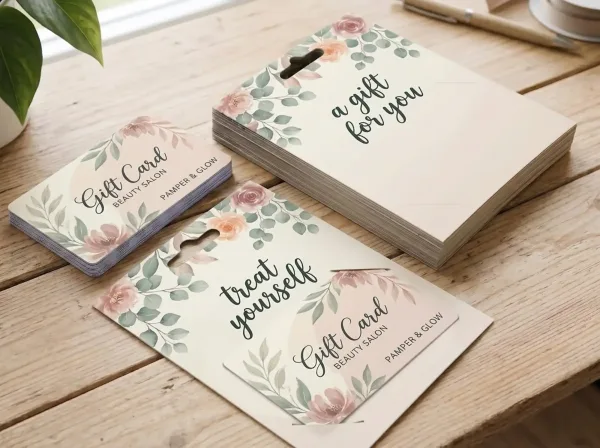
To hand a card over as a present, add card carriers and wallets, printed in full colour with your own design. Our card carriers page has the four formats and their prices.
How much do they cost?
Gift cards start at £75.00 +vat for 25, and the price per card falls as the quantity goes up, because much of the work in an order is the same whatever the quantity. Numbering, QR codes and write-on panels are priced on your quote.
| Quantity | Price from |
|---|---|
| 25 | £75.00 +vat £3.00 each |
| 50 | £79.00 +vat £1.58 each |
| 100 | £85.00 +vat 85p each |
| 200 | £99.00 +vat 49.5p each |
| 250 | £109.00 +vat 43.6p each |
| 500 | £175.00 +vat 35p each |
| 1,000 | £245.00 +vat 24.5p each |
Prices are for one design from your print-ready artwork. Delivery is free within Great Britain, and our delivery prices list the charges for Northern Ireland, the Republic of Ireland and the Channel Islands. They exclude VAT and extras such as numbering and QR codes, which are priced on your quote.
Where does this information come from?
From Square’s own UK help pages, terms and developer docs: this page reflects them as we read them in November 2026. Square changes its features, so follow the links for the current position, or ask Square Support.
- Square UK help: Sell and send gift cards, Set up and order gift cards, Accept gift cards, Customise payment types on Square Point of Sale and Track external transactions with custom payment methods.
- Square UK: the gift cards page, the gift cards section of the Additional Point of Sale Terms of Service, effective 31 October 2025, and the page for restaurants.
- Square’s developer docs: Gift Cards API and Gift Card Activities API, for custom GANs, scanning, physical cards and third-party cards, Sell Square Gift Cards and the Create gift card reference.
- Square’s developer forum: Custom-GAN gift cards: POS redemption and load fees in Canada, answered by a Square employee in September 2026.
This page is general information, not legal or tax advice. Square’s own pages and Square Support have the final word on how Square works.
Questions & Answers
-
Can I use my own printed gift cards with Square?
Yes, but not as Square gift cards. Square’s UK help says only plastic gift cards ordered through Square can be loaded, sold or accepted in Square POS. You can run your own cards with a register and record each payment with a custom payment method, or have a developer create Square gift cards with your own numbers, printed on cards we supply.
-
Why can’t gift cards from another supplier be sold as Square gift cards?
Square’s plastic gift cards carry Square’s own 16-digit numbers, starting 778273, printed with a barcode and a QR code. Square’s developer docs say a seller can only sell physical Square gift cards ordered from Square, so a card from another supplier can’t be sold as one. It can still be taken as payment and recorded in Square POS.
-
How do I record a non-Square gift card in Square POS?
Set up a custom payment method in Square Dashboard, under Settings, Account & Settings, Payments, Payment Methods, Custom Payment Methods, and turn on Activate on Point of Sale. At the till, tap Charge, then More, then Custom Payment Methods, and choose it. Square records the payment as Other in your reports, but it doesn’t hold the card’s balance.
-
Does Square track the balance on my own gift cards?
No. When you record another gift card with a custom payment method, Square processes no money and acts only as a record. Keep the balances yourself, in a register of every card’s number, what it was sold for and what’s left, and update it each time a card is spent.
-
Can a developer give Square gift cards my own numbers?
Yes. Square’s Gift Cards API can create gift cards with custom numbers. For the cards to scan in Square POS, Square’s docs say each number must be digits only, 8 to 20 long, unique, pass the Luhn check and not start with 778273, 778332 or the numbers major credit cards start with. We then supply the cards printed with those numbers. Try real cards in your own Square POS before the full run.
-
What goes in the QR code on a Square gift card?
Square’s developer docs say a gift card’s QR code or barcode must hold sqgc:// followed by the card number, such as sqgc://831389782705. Square’s APIs don’t make the code pictures, so your developer sends us the text for each card in a file, and each card is printed with its own QR code and its number in digits.
-
Can Square import gift cards I’ve already sold?
Yes, once, if you’re moving to Square. Square’s developer docs say gift cards sold through another provider can be imported through a one-time process with Square Support, and then redeemed like Square gift cards. Imported cards can’t be reloaded, and the import isn’t a way to keep supplying new cards.
-
Can gift cards have an expiry date if I use Square?
Square’s UK terms don’t allow an expiry date on Square gift cards. If you run your own cards and record them in Square POS with a custom payment method, the terms are your own: if your cards expire, the date must be clear and the terms fair.
-
Will a magnetic strip on my own gift cards work in Square POS?
We found no Square page that says a magnetic strip on a card from another supplier can be swiped in Square POS, so don’t rely on one. For cards with your own numbers, Square’s documented ways are typing the number and scanning a QR code or barcode.
-
Where can I get plastic gift cards printed in the UK for a business that uses Square?
CP Cards supplies them, printed in England, with your own numbers and QR codes. Our minimum order is 25 cards, from £75.00 +vat. Delivery is free within Great Britain, and our delivery prices list the charges for Northern Ireland, the Republic of Ireland and the Channel Islands. Every order gets a free email proof, so you can check the layout and wording before anything is printed. For a quote, email sales@cpcards.co.uk or use our quote form.
Ordering gift cards to use with Square?

Tell us which route you’re using and how many cards you need. We’ll quote by email, often within minutes, 9am to 5pm, Monday to Friday.