


Gift Card and Voucher Register: Free Excel Template
A gift card register is a list of every card you’ve sold: its number, what it’s worth, what’s been spent and what’s left. The card itself holds no money, so the register is your record of it. Our free Excel template works out each balance for you and totals what you owe on cards not yet spent.
It’s a free download, with no sign-up, for businesses selling numbered gift cards or vouchers without a gift card feature on their till, or wanting a back-up record. It works with any numbered cards, including our plastic gift cards, and our gift card printing guide covers the wider set-up.
The short versionGive every card its own printed number. When you sell one, add a row to the Register: its number, value or item, price paid and valid-until date. When it’s spent, check its row first, then add a line to the Spending sheet, and the balance works itself out. The Totals sheet shows what you owe on cards still in use.
Why keep a gift card register?
Because the card itself holds no money: your register is the record of what each card is worth. It stops a card being spent twice, and shows at any moment how much you owe in cards that haven’t been spent yet.
- It stops a card being spent twice. Staff check a card’s row before they accept it, so a card that’s used up or past its date is caught at the counter.
- It shows what you owe. The balance on every card still in use is money you’ve taken, or value you’ve given away, for something you haven’t supplied yet.
- It catches cards that were never sold. A card goes in the register when it’s sold, so a number that isn’t there came from your unsold stock, was made up, or was typed wrongly.
- It answers questions. When a customer asks what’s left on a card, or how long it lasts, its row tells you.
- SellFill in the card: the amount or item, the valid-until date and your initials.
- RecordAdd the card’s row to the Register sheet straight away.
- SpendCheck its row, then add a line to the Spending sheet.
- RedeemAt 0.00, set the status to Spent, and keep the card or mark it used.
It’s the routine from our gift card printing guide, with a spreadsheet doing the sums. A notebook works too, but it can’t add up the balances for you. Our guide to stopping gift card fraud shows how the register fits with the other checks.
What’s in the free gift voucher register template?
An Excel workbook with four sheets, and a CSV copy of the Register’s columns for anyone who prefers a plain file. Both are free to download, with no sign-up.
- How to use: the steps on this page, in short.
- Register: one row per card sold, with its card number, date sold, who sold it, value or item, price paid, how it was paid, valid-until date and status. Spent so far and Balance are worked out for you.
- Spending: your redemption log, with one line each time a card is used: the date, the card number, the amount and the staff member’s initials. Register row shows which row of the Register the card is on.
- Totals: cards sold, money taken, what’s been spent, and what you owe on cards still in use.
| Row | A | B | C | D | E | F | G | H | I | J | K | L |
|---|---|---|---|---|---|---|---|---|---|---|---|---|
| 1 | Card number | Date sold | Sold by | Value or item | Price paid | How paid | Valid until | Status | Spent so far | Balance | Check | Notes |
| 2 | 10001 | 10/01/2026 | AB | £50.00 | £50.00 | Card | 10/01/2027 | Spent | £50.00 | £0.00 | ||
| 3 | 10002 | 10/01/2026 | AB | £10.00 | £0.00 | Free: January offer | 31/03/2026 | Expired | £0.00 | £10.00 | Free with card 10001 | |
| 4 | 10003 | 14/02/2026 | JP | Pottery painting for two | £36.00 | Cash | 14/02/2027 | Spent | £36.00 | £0.00 | ||
| 5 | 10004 | 21/10/2026 | JP | £50.00 | £50.00 | Card | 21/10/2027 | In use | £30.40 | £19.60 | ||
| 6 | 10005 | 24/10/2026 | SK | £25.00 | £25.00 | Online | 24/10/2027 | In use | £0.00 | £25.00 | ||
| 7 | 10006 | 30/10/2026 | AB | £30.00 | £30.00 | Card | 30/10/2027 | Lost | £12.50 | £17.50 | Lost 06/11/2026, replaced by 10009 | |
| 8 | 10007 | 01/11/2026 | SK | £20.00 | £20.00 | Cash | 01/11/2027 | In use | £20.00 | £0.00 | Used up: set status to Spent | |
| 9 | 10008 | 03/11/2026 | JP | £25.00 | £0.00 | Free: raffle prize | 03/11/2027 | In use | £0.00 | £25.00 | Given to a school raffle | |
| 10 | 10009 | 06/11/2026 | AB | £17.50 | £0.00 | Replacement | 30/10/2027 | In use | £0.00 | £17.50 | Replaces lost card 10006 | |
| 11 | 10010 | 10/11/2026 | SK | Pottery painting for two | £36.00 | Card | 10/11/2027 | In use | £0.00 | £36.00 |
Open it in Excel, Google Sheets or Apple Numbers: the formulas use only functions all three have, such as IF, MATCH and SUMIFS, and there are no macros. In Google Sheets, choose File, then Import, and pick the file. The card number columns are formatted as Text, so a number with zeros at the start keeps them. The formulas are ready for 1,000 cards and 3,000 spending lines.
A CSV file can’t hold formulas, so in the CSV, Spent so far and Balance are plain numbers you’d update yourself. Before you start with the Excel file, clear the examples: select the white cells of the example rows and press Delete, and leave the grey columns alone.
How do printed card numbers match the register?
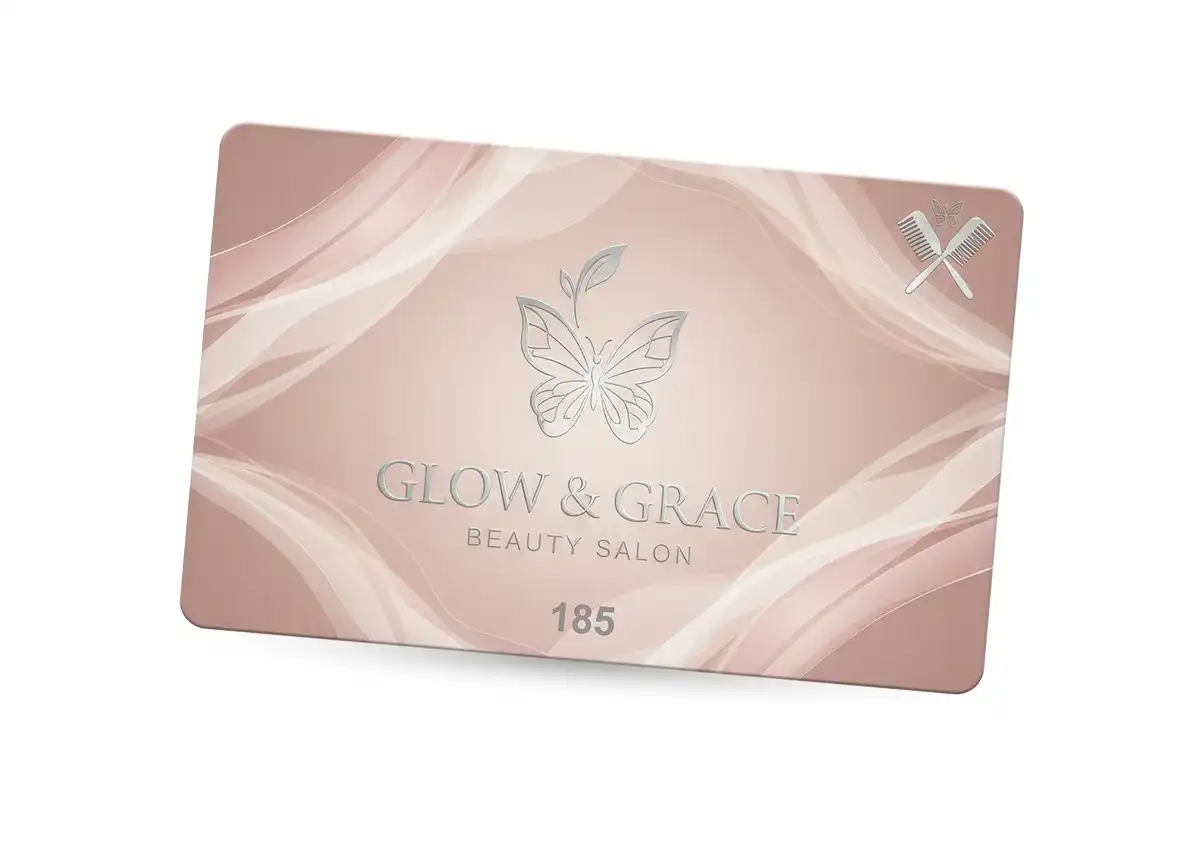
The number printed on each card is the key to its row. Type it into the Register just as it’s printed when you sell the card, and look for the same number when the card comes back.
The numbers are printed with your cards: give us a start number and the cards run on from it, or send your own list in an Excel file, laid out as our guide to gift card codes in Excel or CSV shows. Starting at 10001, as the template’s examples do, means there are no zeros at the start to lose in a spreadsheet. When you re-order, tell us the last number you issued and the new cards carry on from it, so no two cards share a number.
| Row | A | C | D | G |
|---|---|---|---|---|
| 1 | Card number | Sold by | Value or item | Valid until |
| ⋮ | ⋮ | ⋮ | ⋮ | ⋮ |
| 5 | 10004 | JP | £50.00 | 21/10/2027 |
| 6 | 10005 | SK | £25.00 | 24/10/2027 |
| 7 | 10006 | AB | £30.00 | 30/10/2027 |
| ⋮ | ⋮ | ⋮ | ⋮ | ⋮ |
- Card number. Printed on every card, each one different.
- Sold by. The initials of whoever sold the card, written on it at the till.
- Value or item. Written on in an ordinary ballpoint pen, so one design covers every amount.
- Valid until. Written on too, so the period runs from the day of sale.
To and From names can go on the card without going in the register. If a card and its row ever disagree, the register is right, because a written amount can be altered. Our guide to numbered gift cards covers sequential numbers, PINs and codes, and numbered plastic cards explains how the numbers are printed.
How do I record a gift card sale?
Fill in the card, then add its row to the Register before the card leaves the counter. Only add a card when it’s sold: a card that isn’t in the register was never sold.
| Column | What to type |
|---|---|
| A: Card number | Just as it’s printed on the card, such as 10010. |
| B: Date sold | The day you sell it, such as 10/11/2026. |
| C: Sold by | Your initials, such as SK. |
| D: Value or item | The value as a number, such as 50 rather than £50, or the item the card is for, such as Pottery painting for two. |
| E: Price paid | What the buyer paid, such as 36. Put 0 for a free or bonus card. |
| F: How paid | Card, cash, online, or a note such as Free: raffle prize. |
| G: Valid until | The date written on the card, such as 10/11/2027. |
| H: Status | In use. The drop-down list also has Spent, Expired and Lost. |
Leave Spent so far, Balance and Check alone: they’re formulas, and fill in by themselves. For an item card, such as Pottery painting for two, the balance is the price paid until the item is used.
A free or bonus card goes in with 0 as the price paid. It adds nothing to the money taken, but its value counts in what you owe until it’s spent. Running a bonus card offer? Our guide on how to sell more gift cards covers keeping its conditions clear.
Write the valid-until date on the card when you sell it, so the period runs from the day of sale. If your cards expire, the date must be clear and the terms fair: see our gift card VAT and expiry rules.
How do I log a gift card or voucher being spent?
Find the card’s row first and check its status, balance and valid-until date. Then add a line to the Spending sheet: the date, the card number, the amount and your initials. The sheet fills in the card’s Register row, and its Spent so far and Balance update by themselves.
When part of the value is spent
Card 10004 was sold for £50 and has been used twice, so it has two lines in the Spending sheet.
| Row | A | B | C | D | E | F |
|---|---|---|---|---|---|---|
| 1 | Date | Card number | Amount | Staff initials | Check | Register row |
| 2 | 24/01/2026 | 10001 | £22.00 | JP | 2 | |
| 3 | 07/03/2026 | 10001 | £28.00 | AB | 2 | |
| 4 | 21/03/2026 | 10003 | £36.00 | SK | 4 | |
| 5 | 02/11/2026 | 10004 | £18.40 | SK | 5 | |
| 6 | 03/11/2026 | 10006 | £12.50 | JP | 7 | |
| 7 | 09/11/2026 | 10004 | £12.00 | AB | 5 | |
| 8 | 12/11/2026 | 10007 | £20.00 | AB | 8 |
| Row | A | D | I | J |
|---|---|---|---|---|
| 1 | Card number | Value or item | Spent so far | Balance |
| 5 | 10004 | £50.00 | £30.40 | £19.60 |
Only record what comes off the card. If the bill is more than the balance, record the balance and take the rest as a normal payment.
When the last of it is spent
When the balance reaches 0.00, the Check column says “Used up: set status to Spent”, as it does for card 10007. Set the status to Spent, and keep the card or mark it used, so it can’t be offered again.
| Row | A | H | J | K |
|---|---|---|---|---|
| 1 | Card number | Status | Balance | Check |
| 8 | 10007 | In use | £0.00 | Used up: set status to Spent |
For an item card, record the price paid when the item is used. Card 10003, Pottery painting for two, has one line for £36.00, which takes its balance to 0.00.
What do I do when a gift card expires or is lost?
Change its status and keep the row: Expired once its date has passed, or Lost when you replace it with a new card. Keeping the row means the register stays a full record.
| Row | A | H | J | L |
|---|---|---|---|---|
| 1 | Card number | Status | Balance | Notes |
| 3 | 10002 | Expired | £10.00 | Free with card 10001 |
| ⋮ | ⋮ | ⋮ | ⋮ | ⋮ |
| 7 | 10006 | Lost | £17.50 | Lost 06/11/2026, replaced by 10009 |
| ⋮ | ⋮ | ⋮ | ⋮ | ⋮ |
| 10 | 10009 | In use | £17.50 | Replaces lost card 10006 |
Expired cards
Set the status to Expired once a card’s valid-until date has passed with money still on it. Its balance stays on the row, and on the Totals sheet it moves from Owed on cards in use to Left on expired cards. Until you change it, the Check column flags a card still In use after its date. How to treat money left on expired cards in your accounts is a question for your accountant.
Lost cards
Your terms decide whether a lost card is replaced. If they say it can’t be, leave its row as it is: whoever finds the card can still spend it. If you do replace one:
- Set the old card’s status to Lost, and note the date in Notes.
- Add the new card with the balance that was left as its value, 0 as the price paid, Replacement as how it was paid, and the old card’s valid-until date.
- Note the old card’s number in the new card’s Notes.
Card 10006 was lost with £17.50 left and replaced by card 10009. If the old card turns up at the counter, its row shows it’s been replaced. Our guide to gift card terms and conditions has wording for lost cards.
What does the Check column flag?
A message in a Check column means a row needs a look, and an empty one means the row adds up. The Register and the Spending sheet each have one.
| Message | Sheet | What it means |
|---|---|---|
| Number entered twice | Register | Two rows have the same card number. |
| Spent more than its value | Register | The card’s spending lines add up to more than it was worth. |
| Used up: set status to Spent | Register | The balance is 0.00, but the status still says In use. |
| Past its valid-until date | Register | The card is still In use, but its date has passed. |
| Not in the register | Spending | The number was never sold, or was typed wrongly. |
| After its valid-until date | Spending | The line was spent after the card’s date. |
| Takes it over its value | Spending | This line takes the card past what it was worth. |
| Add the … | Both | Something is missing, such as the date, the amount or the status. |
The Totals sheet counts the messages as Lines to check, so one figure tells you whether anything needs a look.
How much do I owe on unspent gift cards?
The balance left on every card still in use. That’s what you’ve been paid for, or given away, but not yet supplied, and the Totals sheet shows it as Owed on cards in use.
| Row | A | B | C |
|---|---|---|---|
| 1 | Total | Now | What it means |
| 2 | Cards sold | 10 | Every card in the Register. |
| 3 | Money taken for cards | £247.00 | Price paid, added up. Free and bonus cards count as 0. |
| 4 | Spent on cards so far | £148.90 | Every line in the Spending sheet. |
| 5 | Cards in use | 6 | Cards with the status In use. |
| 6 | Owed on cards in use | £123.10 | The balance left on every card in use: what you’ve been paid for, or given, but not yet supplied. An unused item card counts at its price paid. |
| 7 | Left on expired cards | £10.00 | Never spent. Ask your accountant how to treat it. |
| 8 | Left on cards marked lost | £17.50 | Not counted as owed, because the replacement card carries the balance. |
| 9 | Lines to check | 1 | Rows with a message in a Check column. |
Note the figure at the end of each month, or save a copy of the file with the date in its name, so you can see how it changes.
Whether VAT is due when you sell a card or when it’s spent depends on what it can be spent on: our gift card VAT and expiry rules explain both. How your accounts show cards not yet spent is a question for your accountant.
This page and the template are general information, not legal, tax or accounting advice.
How do I keep a gift card register safe?
Let only the people who sell and redeem cards change it, keep a back-up copy somewhere else, and keep as little personal information in it as you can.
- Who can edit. Keep the file where only the people who sell and redeem cards can open it, and never share it by a public link.
- Back-ups. Keep a copy somewhere else, and save a dated copy at the end of each month. If the file is lost, so is your record of what you owe.
- Personal details. The register works without them. If you record a buyer’s name or email for a reason, such as replacing lost cards, delete it once you no longer need it.
- Secret codes. If your cards have codes under a scratch-off panel, keep them out of the register, which everyone who sells cards opens, and out of any shared online sheet. Our guide to gift card codes in Excel or CSV says to treat the code file like cash and keep it where only the people who need it can open it, with a backup.
The Information Commissioner’s Office says personal data should be adequate, relevant and limited to what’s necessary, kept no longer than you need it, and kept secure. A small organisation doing occasional, low-risk processing may not need a written retention policy, but it must still review what it holds regularly and delete what it no longer needs. The ICO’s guides to data minimisation, storage limitation and data security have the detail.
When should I move to a till or booking system with gift cards?
When checking cards by hand starts to slow you down: for example, when several people sell cards at more than one site, or you want cards that scan. A till or booking system with a gift card feature holds each card’s balance against its number, so the system becomes your register.
Each card then needs its own number in a form your system can read, such as a barcode: see gift cards with barcodes. Some systems only accept their own cards, so ask your supplier before you order.
- Square. Square’s UK help says only plastic gift cards ordered through Square can be sold or accepted as Square gift cards in Square POS. It can record another supplier’s card with a custom payment method, but only as a record: Square doesn’t hold its balance, so you’d keep this register alongside it. Using your own card numbers in Square’s gift card system needs a developer or an app. Square’s developer pages also describe a one-off import, through Square Support, of cards you’ve already sold, which are then redeemed like Square gift cards but can’t be topped up. See plastic gift cards and Square.
- Shopify POS. It accepts another supplier’s gift cards if each has a unique printed code of 8 to 20 letters and numbers, which staff type in. See gift cards for Shopify POS.
We read Square’s help and developer pages in November 2026, and Shopify’s help in October 2026. Features change, so confirm with your supplier. Our guide to printed cards and tills covers other systems. If you move to one, ask whether it can import the cards you’ve already sold: the Register has one row per card, with its number and balance.
How do I order numbered gift cards to use with the register?
Email sales@cpcards.co.uk or use our gift card quote form. We often reply within minutes, 9am to 5pm, Monday to Friday. Tell us:
- Where the numbers start, such as 10001, or send your own list in an Excel file.
- The write-on panels you’d like, such as the amount or item, the valid-until date and initials.
- Your artwork, at 92 x 60mm with 3mm of bleed, or your logo and wording for our £29 +vat design service.
- How many cards. Most small businesses start with 100 to 250.
Our gift cards are 86 x 54mm and 760 microns thick, printed in full colour on both sides, then bonded between clear PVC sheets and cut, so the print can’t scratch or wear off. Numbers can be printed in any CMYK colour, so they can match your design. Every order gets a free email proof, so you can check the layout and wording before anything is printed. The colours on the proof are a guide only, because every screen shows colour differently.
Production takes 7 working days from proof approval and payment. Express takes 3 to 4 working days: ask us for cost and availability. To hand the cards over as presents, add our card carriers and wallets.
How much do they cost?
Gift cards start at £75.00 +vat for 25, and the price per card falls as the quantity goes up, because much of the work in an order is the same whatever the quantity.
| Quantity | Price from |
|---|---|
| 25 | £75.00 +vat £3.00 each |
| 50 | £79.00 +vat £1.58 each |
| 100 | £85.00 +vat 85p each |
| 200 | £99.00 +vat 49.5p each |
| 250 | £109.00 +vat 43.6p each |
| 500 | £175.00 +vat 35p each |
| 1,000 | £245.00 +vat 24.5p each |
Prices are for one design from your print-ready artwork. Delivery is free within Great Britain, and our delivery prices list the charges for Northern Ireland, the Republic of Ireland and the Channel Islands. They exclude VAT and extras such as numbering and write-on panels, which are priced on your quote.
Questions & Answers
-
What is a gift card register?
A gift card register is a list of every gift card or voucher you’ve sold, one row per card: its number, the date sold, what it’s worth, what’s been spent and what’s left. It stops a card being spent twice and shows what you owe on unspent cards. A notebook works, but a spreadsheet such as our free template works out the balances for you.
-
Is the gift card register template free?
Yes. CP Cards’ gift card and voucher register is a free download, as an Excel workbook or a CSV file, with no sign-up. The workbook has a Register sheet for the cards, a Spending sheet for each time one is used, a Totals sheet and instructions, with ten example cards to show how it works. Use it and change it as you like.
-
Does the template work in Google Sheets and Apple Numbers?
Yes. The formulas use only functions that Excel, Google Sheets and Apple Numbers all have, such as IF, MATCH and SUMIFS, and there are no macros. In Google Sheets, open the Excel file with File, then Import. If you’d rather start from a plain file, the CSV has the Register’s columns, with plain numbers in place of the formulas.
-
How do I record a gift card that’s only partly spent?
Check the card’s row in the register first: its status, balance and valid-until date. Then add a line to the Spending sheet with the date, the card number, the amount spent and your initials. Our template works out Spent so far and Balance by itself, and the card stays In use until the balance reaches 0.00.
-
How do I work out how much I owe on unspent gift cards?
Add up the balance left on every card still in use: that’s what you’ve been paid for, or given away, but not yet supplied. In our free template, the Totals sheet does it for you, as Owed on cards in use. Note the figure at the end of each month, or save a dated copy of the file.
-
What should I do if a customer loses a gift card?
Follow your terms. If they say lost cards can’t be replaced, leave the card’s row as it is, because whoever finds it can still spend it. If you replace it, mark the old row Lost, add the new card with the balance that was left, and note the old number, so staff can see the old card has been replaced.
-
Should a gift card register include the buyer’s name?
Only if you need it, for example to replace lost cards. Guidance from the Information Commissioner’s Office says personal data should be limited to what’s necessary and not kept longer than needed. The card number, value, dates and balance are enough to run a register, and To and From names can stay on the card itself.
-
Can I use a gift card register with Square?
Yes, as your record of the balances. Square’s UK help, read in November 2026, says only plastic gift cards ordered through Square can be sold or accepted as Square gift cards. Square POS can record another supplier’s card with a custom payment method, but only as a record, so the balance stays in your register. Our guide to plastic gift cards and Square explains the options.
-
Where can I get gift cards printed in the UK with numbers to match my register?
CP Cards supplies gift cards printed in England, numbered from your start number or list. Our minimum order is 25 cards, from £75.00 +vat, with numbering priced on your quote. Delivery is free within Great Britain, and our delivery prices list the charges for Northern Ireland, the Republic of Ireland and the Channel Islands. Every order gets a free email proof, so you can check the layout and wording before anything is printed. Email sales@cpcards.co.uk or use our quote form.
Ready to order numbered gift cards?

Tell us your start number, the write-on panels you’d like and how many cards you need. We’ll quote by email, often within minutes, 9am to 5pm, Monday to Friday.